Introduction
In modern software development, architecture evolves at the speed of code. Yet, traditional diagramming tools often create bottlenecks: manual updates lag behind sprints, static images become obsolete instantly, and context-switching between drawing interfaces and documentation breaks developer flow. One engineering team reported that updating a single payment gateway sequence diagram took 55 minutes through their manual process of exporting, emailing, and re-uploading images.
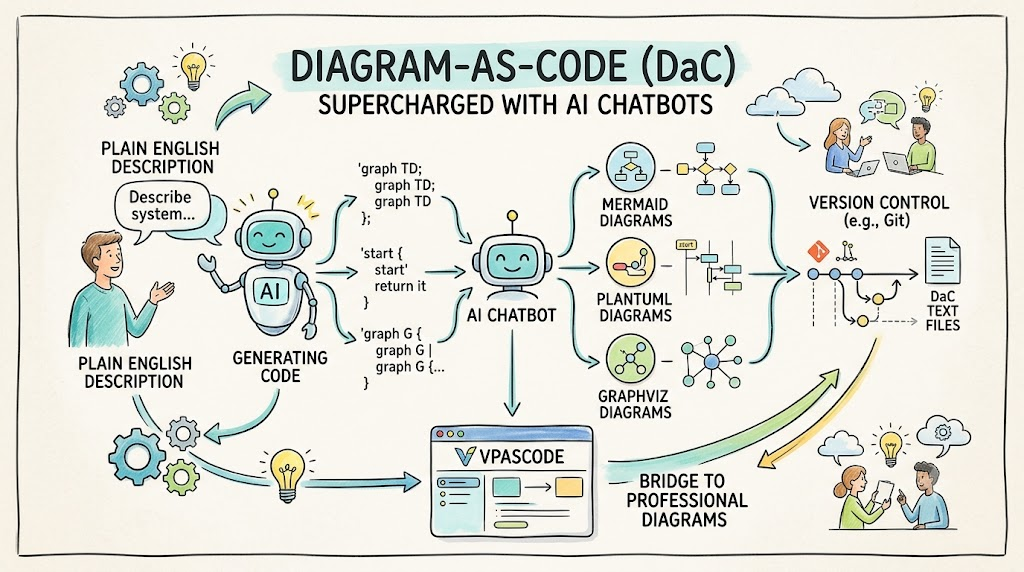
The solution lies in Diagram-as-Code (DaC)—treating diagrams as version-controlled text files—and supercharging this workflow with AI chatbots. Instead of wrestling with drag-and-drop interfaces or memorizing complex syntax, architects and developers can now describe their systems in plain English and let AI generate the underlying structure. This guide explores how AI-powered DaC workflows transform documentation, providing comprehensive examples using Mermaid, PlantUML, and Graphviz, and demonstrating how tools like Visual Paradigm’s VPasCode bridge the gap between natural language and professional-grade diagrams.
Key Concepts: The AI + DaC Ecosystem
1. The Two-Stage Workflow
Modern AI-powered DaC follows a refined two-stage process:
-
Stage 1: Ideation with AI Chatbot: You act as the architect, describing intent in natural language. The AI interprets this and generates syntactically correct diagram code.
- Stage 2: Refinement in Code Editor: Using platforms like VPasCode, you gain granular control over styling, layout, and logic. This solves the “Last Mile Problem,” where AI provides a 90% complete draft, and you perfect the final 10%.
2. Multi-Engine Support
Different diagram types require different engines. A robust DaC platform supports:
-
Mermaid: Ideal for READMEs, quick flowcharts, and Markdown-native workflows.
-
PlantUML: Best for strict UML compliance and C4 architecture models.
-
Graphviz (DOT): Optimized for complex relationship graphs and dependency trees.
3. The OpenDocs Pipeline
Integrating diagrams directly into knowledge management platforms (like Visual Paradigm’s OpenDocs) eliminates file management friction. Changes made in the code editor auto-sync to documentation, reducing update times by up to 85%.
Comprehensive Diagram Examples
Below are realistic examples for common software scenarios. Each includes the prompt you might use with an AI chatbot and the verified code ready for use in VPasCode.
1. Sequence Diagrams: API Authentication Flow
Use Case: Documenting interactions between system components, such as OAuth2 login flows.
AI Prompt: “Show me a sequence diagram for user authentication with OAuth2 involving a user, frontend, auth service, and database.”
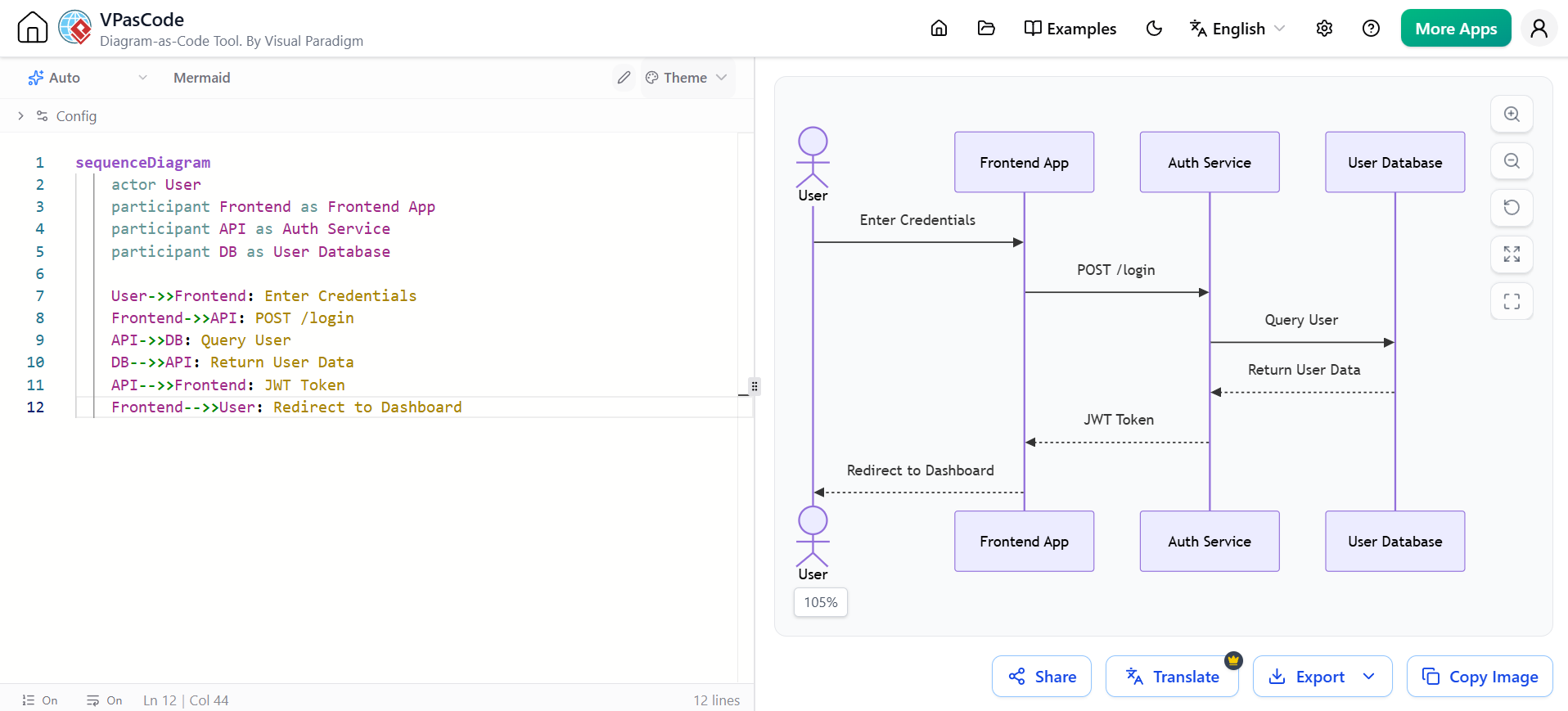
sequenceDiagram
    actor User
    participant Frontend as Frontend App
    participant API as Auth Service
    participant DB as User Database

    User->>Frontend: Enter Credentials
    Frontend->>API: POST /login
    API->>DB: Query User
    DB-->>API: Return User Data
    API-->>Frontend: JWT Token
    Frontend-->>User: Redirect to Dashboard
2. Flowcharts: Microservices Architecture
Use Case: High-level system architecture for onboarding or reviews.
AI Prompt: “Create a microservice architecture showing how a web app connects to services and databases via an API Gateway.”
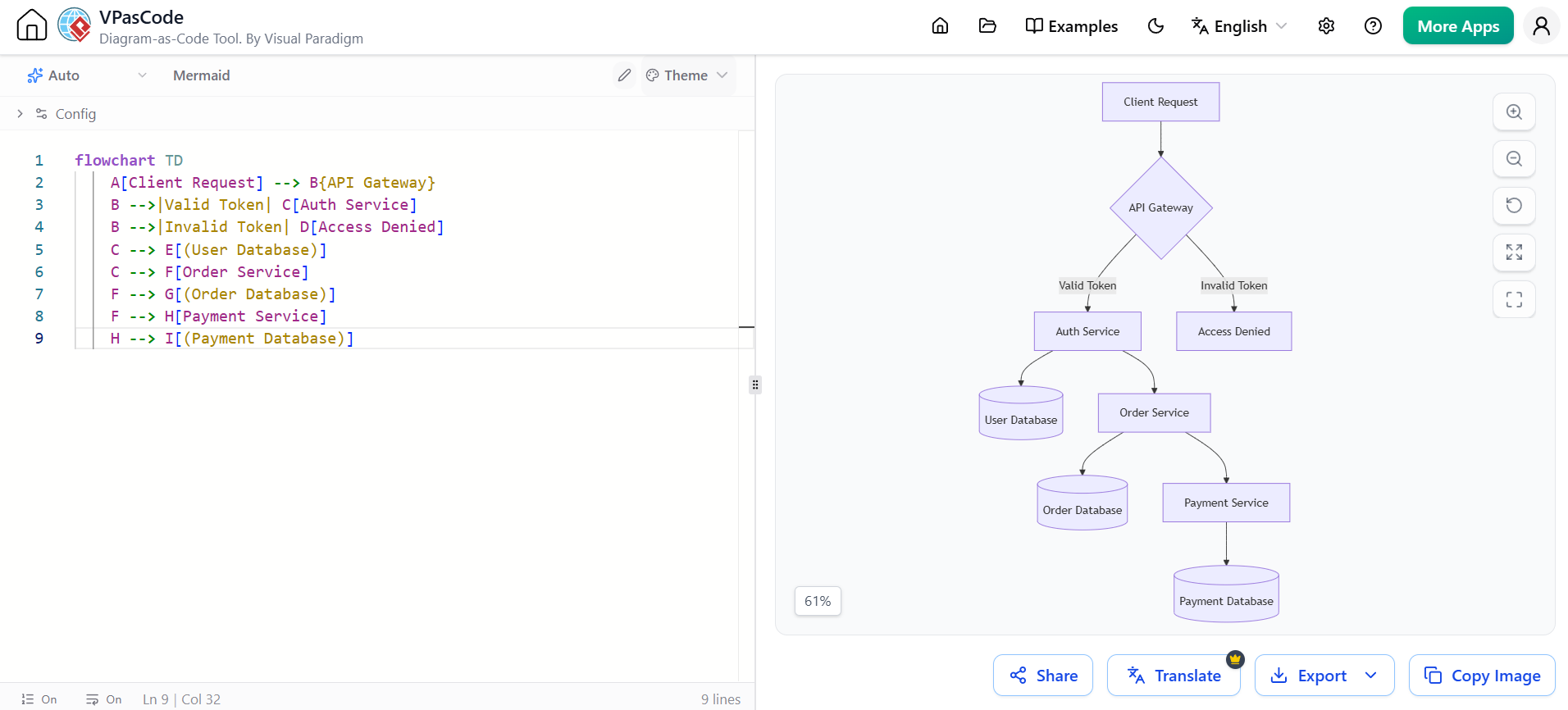
flowchart TD
    A[Client Request] --> B{API Gateway}
    B -->|Valid Token| C[Auth Service]
    B -->|Invalid Token| D[Access Denied]
    C --> E[(User Database)]
    C --> F[Order Service]
    F --> G[(Order Database)]
    F --> H[Payment Service]
    H --> I[(Payment Database)]
3. Flowcharts: CI/CD Development Workflow
Use Case: Documenting processes with decision branches, such as code review pipelines.
AI Prompt: “Create a flowchart showing code review and deployment process with test and approval steps.”
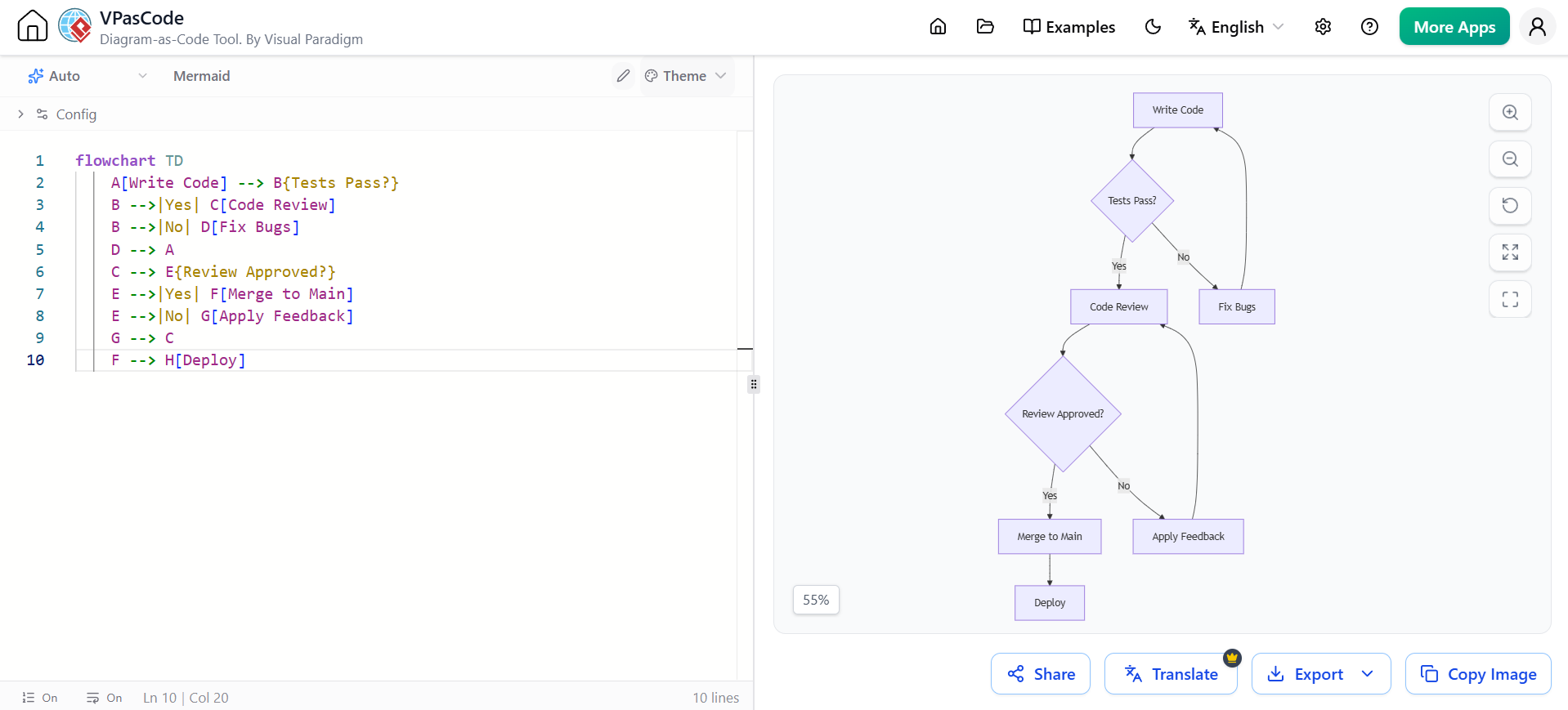
flowchart TD
    A[Write Code] --> B{Tests Pass?}
    B -->|Yes| C[Code Review]
    B -->|No| D[Fix Bugs]
    D --> A
    C --> E{Review Approved?}
    E -->|Yes| F[Merge to Main]
    E -->|No| G[Apply Feedback]
    G --> C
    F --> H[Deploy]
4. Entity-Relationship (ER) Diagrams: Data Models
Use Case: Database schema documentation that stays in sync with code changes.
AI Prompt: “Generate an ER diagram for a blog system with Users, Posts, and Comments.”
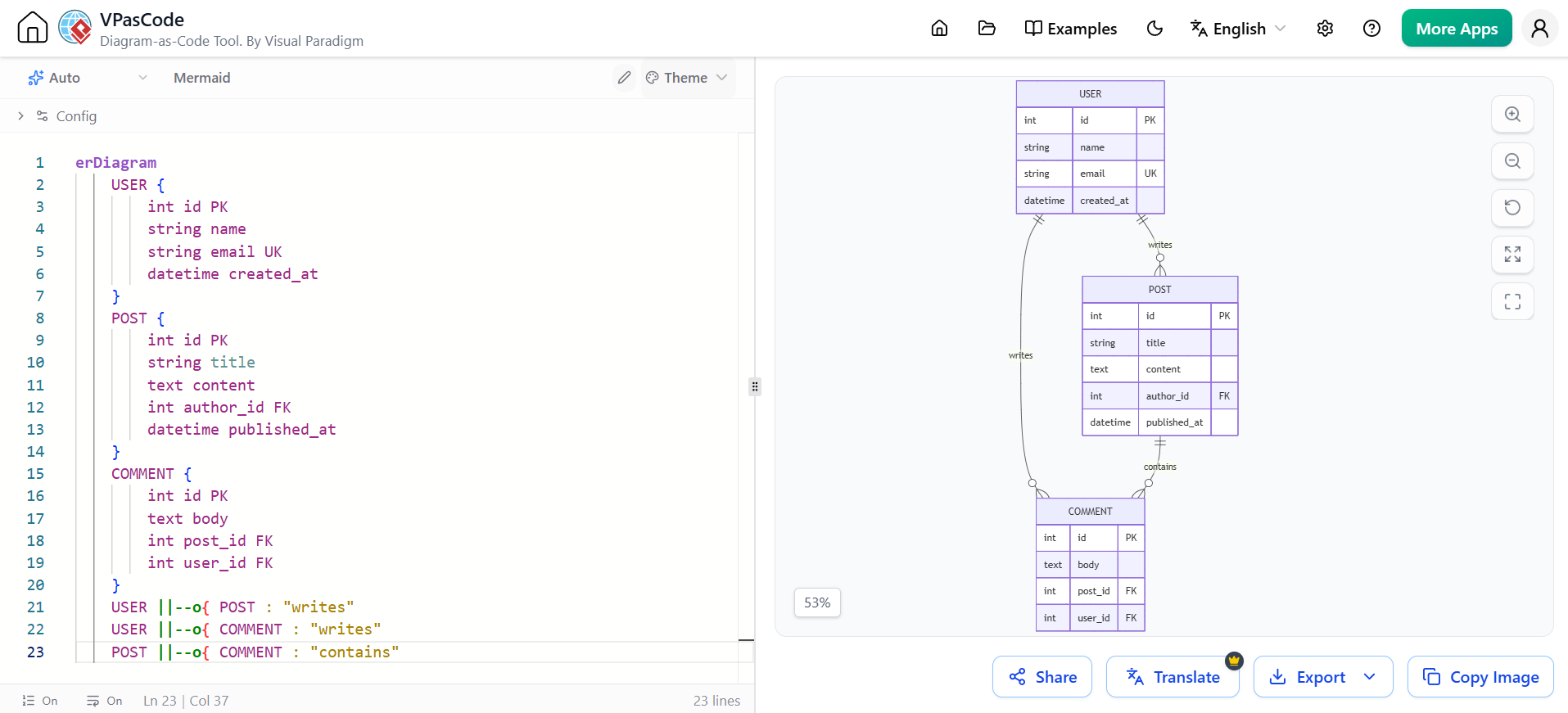
erDiagram
    USER {
        int id PK
        string name
        string email UK
        datetime created_at
    }
    POST {
        int id PK
        string title
        text content
        int author_id FK
        datetime published_at
    }
    COMMENT {
        int id PK
        text body
        int post_id FK
        int user_id FK
    }
    USER ||--o{ POST : "writes"
    USER ||--o{ COMMENT : "writes"
    POST ||--o{ COMMENT : "contains"
5. PlantUML Example: Class Diagram
Use Case: Strict object-oriented design documentation.
AI Prompt: “Create a PlantUML class diagram for a Library system with Book, Member, and Loan classes.”
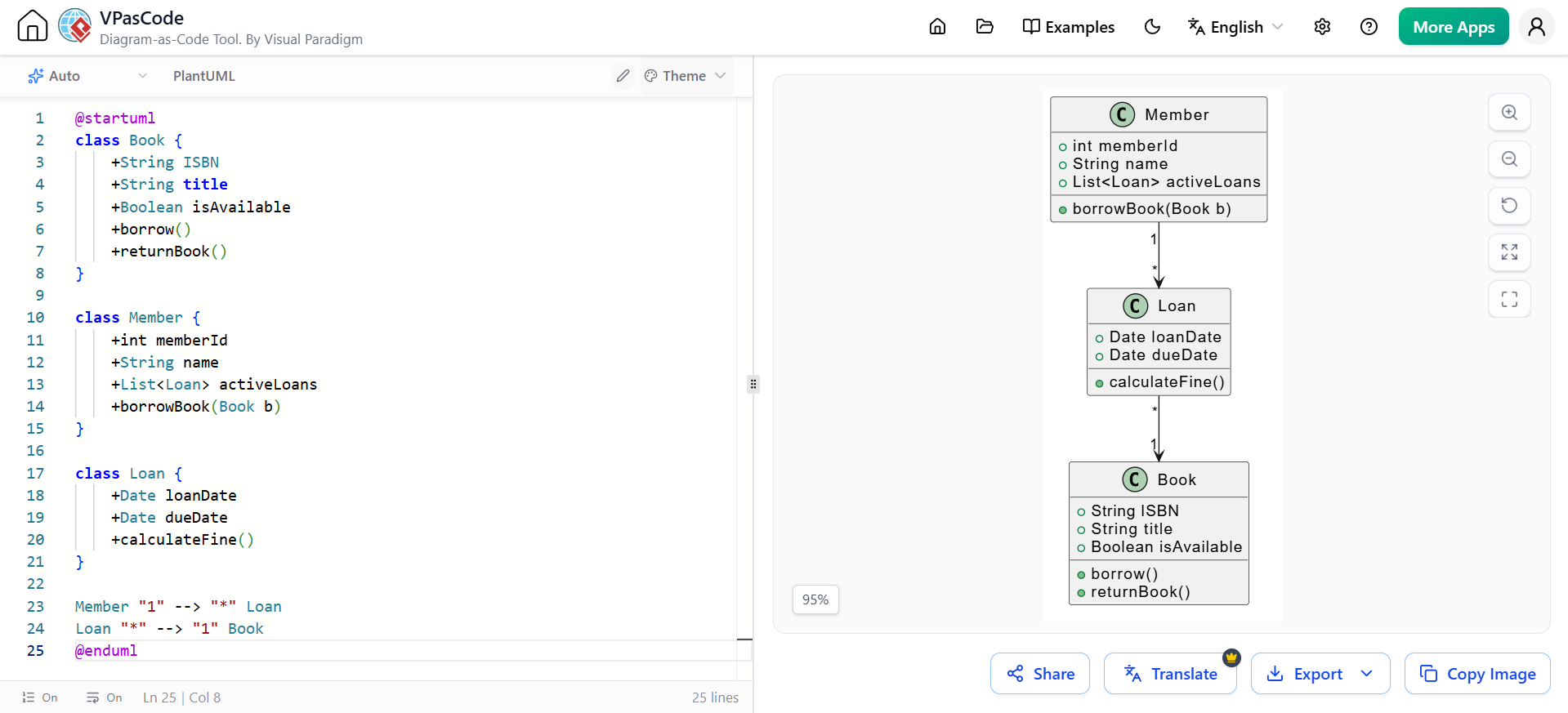
@startuml
class Book {
    +String ISBN
    +String title
    +Boolean isAvailable
    +borrow()
    +returnBook()
}

class Member {
    +int memberId
    +String name
    +List<Loan> activeLoans
    +borrowBook(Book b)
}

class Loan {
    +Date loanDate
    +Date dueDate
    +calculateFine()
}

Member "1" --> "*" Loan
Loan "*" --> "1" Book
@enduml
6. Graphviz (DOT) Example: Dependency Tree
Use Case: Visualizing complex package dependencies or infrastructure relationships.
AI Prompt: “Generate a Graphviz DOT diagram showing dependencies between Web Server, App Server, Cache, and Database.”
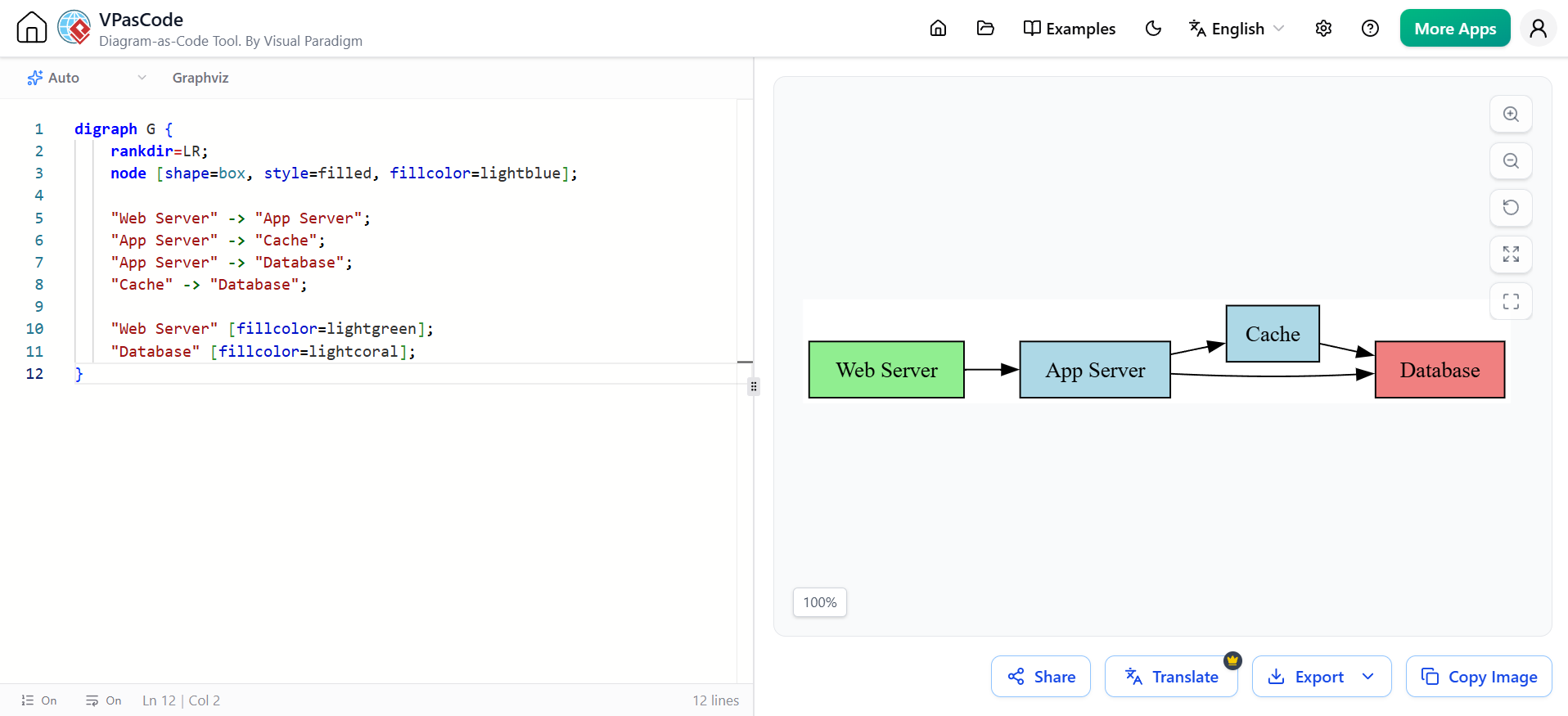
digraph G {
    rankdir=LR;
    node [shape=box, style=filled, fillcolor=lightblue];

    "Web Server" -> "App Server";
    "App Server" -> "Cache";
    "App Server" -> "Database";
    "Cache" -> "Database";

    "Web Server" [fillcolor=lightgreen];
    "Database" [fillcolor=lightcoral];
}
Getting Started: Your AI + DaC Workflow
-
Access the AI Chatbot: Use a tool trained on diagram syntax (e.g., Visual Paradigm’s AI Chatbot).
-
Describe Your Architecture: Use natural language. Be specific about components and relationships.
-
Review and Transfer: Click “Open in VPasCode“ to move the AI-generated draft into a full-featured editor.
-
Refine in VPasCode:
-
Modify syntax directly for precision.
-
Switch engines (Mermaid/PlantUML/Graphviz) if needed.
-
Use AI Code Error Fixing to resolve syntax issues automatically.
-
-
Deploy to Documentation: Use the “Send to OpenDocs Pipeline“ button to insert the diagram directly into your docs with one click. Changes auto-sync, eliminating version drift.
Conclusion
AI chatbots are transforming Diagram-as-Code from a syntax-heavy exercise into a conversational design process. By combining AI generation with precise code refinement in platforms like Visual Paradigm’s VPasCode, teams achieve measurable outcomes: 85% faster documentation updates, zero version drift, and diagrams that finally keep pace with agile development.
Whether you are using Mermaid for quick Markdown integration, PlantUML for strict UML standards, or Graphviz for complex dependency mapping, the future of diagramming is conversational, code-based, and seamlessly integrated into your development workflow. As one industry expert noted, “Coding diagrams using plain text notations turns a task usually regarded as artistic into a data-driven document.” With AI bridging the gap between idea and implementation, this transformation is now accessible to every team member.