1. What Markmap Is
Markmap is a visualization format that turns plain Markdown into an interactive, collapsible mindmap. Because the source is ordinary Markdown, anyone who can write headings and bullet lists can author one — no drag-and-drop editor, no proprietary file format, and no lock-in. The same file renders as readable text in a repo and as a zoomable, pannable diagram in a browser.
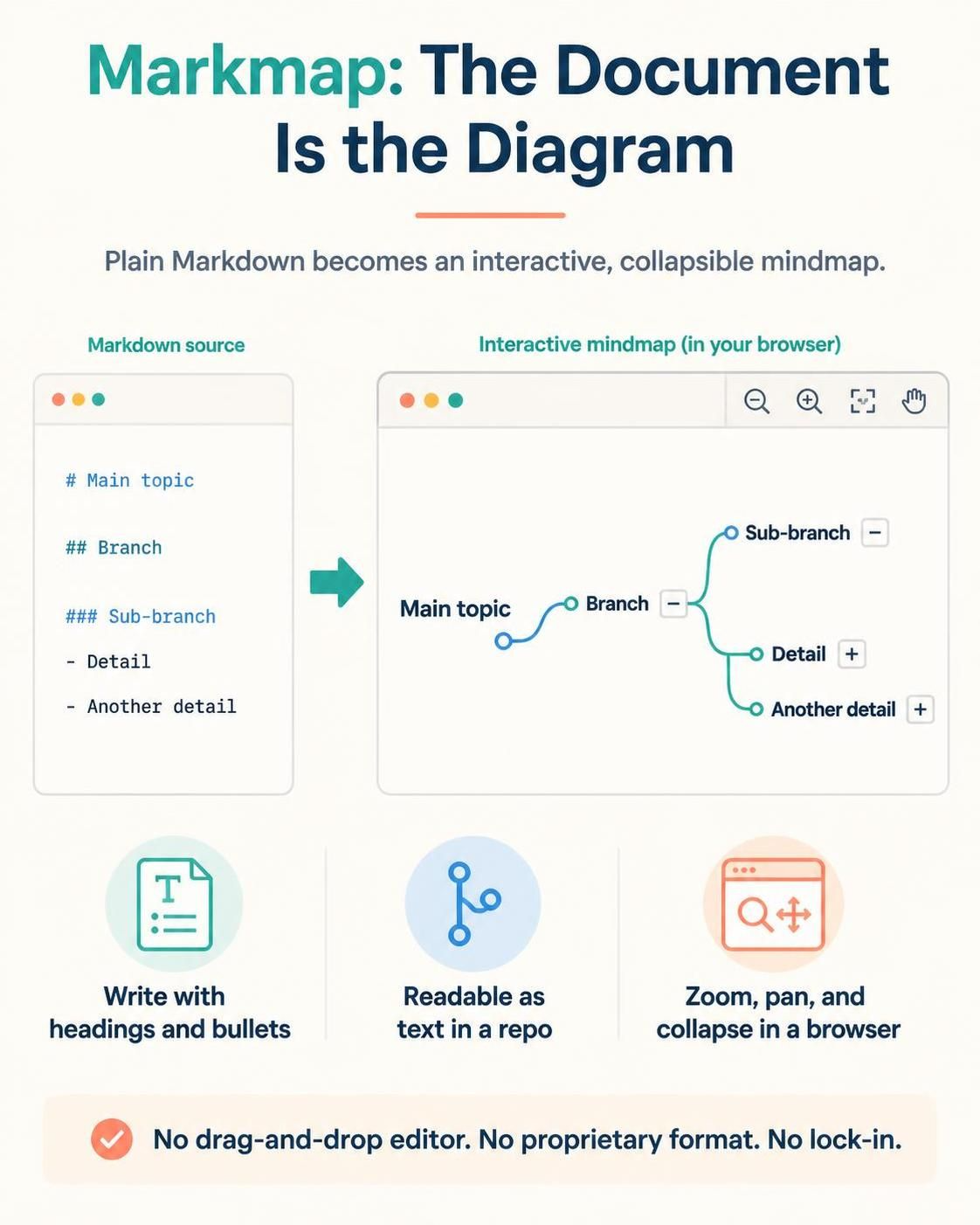
The key insight: the document is the diagram. Structure comes from heading levels (#, ##, ###), and detail comes from bullet lists beneath them.
2. Core Concepts
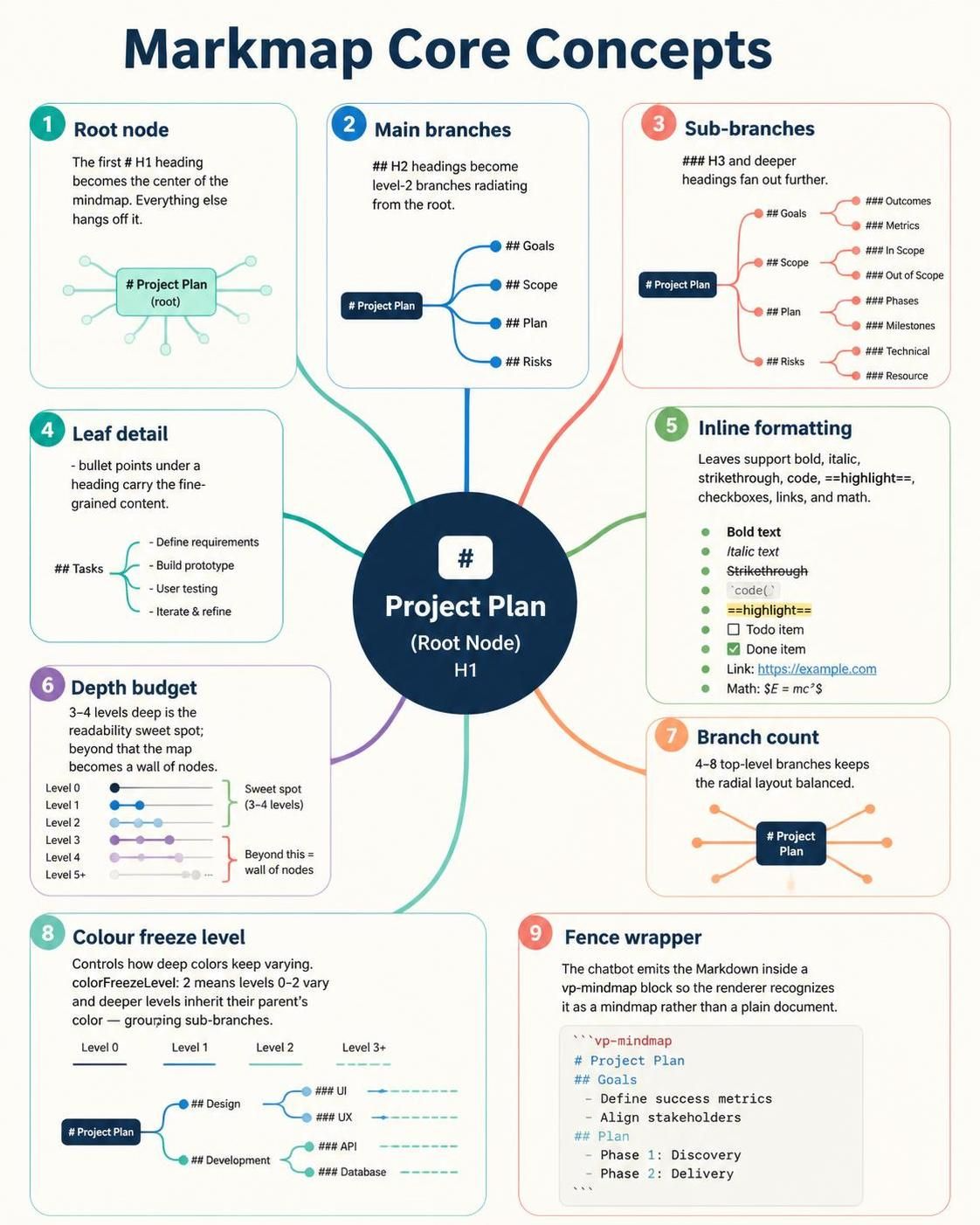
| Concept | What it means in practice |
|---|---|
| Root node | The first # H1 heading becomes the center of the mindmap. Everything else hangs off it. |
| Main branches | ## H2 headings become level‑2 branches radiating from the root. |
| Sub-branches | ### H3 and deeper headings fan out further. |
| Leaf detail | - bullet points under a heading carry the fine-grained content. |
| Inline formatting | Leaves support bold, italic, code, ==highlight==, checkboxes, links, and math. |
| Depth budget | 3–4 levels deep is the readability sweet spot; beyond that the map becomes a wall of nodes. |
| Branch count | 4–8 top-level branches keeps the radial layout balanced. |
| Colour freeze level | Controls how deep colors keep varying. colorFreezeLevel: 2 means levels 0–2 vary and deeper levels inherit their parent’s color — which is what makes sub-branches feel grouped. |
| Fence wrapper | The chatbot emits the Markdown inside a vp-mindmap block so the renderer recognizes it as a mindmap rather than a plain document. |
3. Why Use the Chatbot Rather Than Hand-Writing Markdown
Hand-authoring Markdown is easy; structuring it well is not. The chatbot bridges that gap:
- Structure extraction. You paste raw material — meeting notes, a spec, a long email thread — and get back a hierarchy with the right branch count and depth, instead of a flat list of bullets.
- Convention enforcement. It knows the root must be
# H1and match thetitlefrontmatter, that branches start at##, and that color freezing belongs at level 2. These are exactly the details that produce a broken-looking map when done by hand. - Balanced taxonomies. It will regroup a lopsided outline (one branch with nine children, four branches with one each) into sibling branches of comparable weight.
- Instant iteration. “Split the Deployment branch out into its own top-level node” or “cut this to three levels” becomes a one-line instruction rather than a manual re-indent.
- Consistency at scale. Twenty maps across a project keep the same depth conventions and formatting style.
4. Use Cases
Knowledge work
- Study notes and revision maps — chapters as branches, concepts as leaves, ==highlight== on exam-critical terms.
- Literature and research synthesis — one branch per source, sub-branches for findings, method, and critique.
- Meeting minutes distilled from a transcript, with
[x]action items as checkboxes.
Software and systems
- Architecture overviews: services, data stores, integration paths.
- Feature breakdowns from an epic down to acceptance criteria — the map doubles as a planning artifact.
- Troubleshooting decision trees with code snippets inline.
- Documentation site navigation scaffolding.
Business and strategy
- Product roadmap horizons.
- Onboarding guides for new hires.
- Competitive landscape breakdowns.
- Requirements workshops where stakeholders watch the map grow live.
Personal
- Trip planning, learning paths, reading lists, project retrospectives.
5. Benefits
- Dual-format by nature. The same artifact is a diffable, version-controllable text file and a presentable diagram. Git handles it, Markdown renderers display it, and the mindmap view adds navigation on top.
- Zero tooling friction. No binary files, no export step, no editor to install. Paste, render, share.
- Ideal for LLM collaboration. Token-efficient, cheap to regenerate, and easy for a model to restructure on request — unlike vector or binary diagram formats.
- Progressive disclosure. Collapsing branches lets one artifact serve both an executive skim and a deep dive without duplicating content.
- Portable across the ecosystem. Markdown is accepted by virtually every wiki, docs platform, static site generator, and code host.
6. How to Work With the Chatbot
Step 1 — Give it the shape, not just the topic.
Weak: “Make a mindmap about Kubernetes.”
Strong: “A three-level mindmap on Kubernetes for a developer audience. Six branches: Architecture, Core Objects, Networking, Storage, Security, Operations. Max three levels; put CLI commands inline as code.”
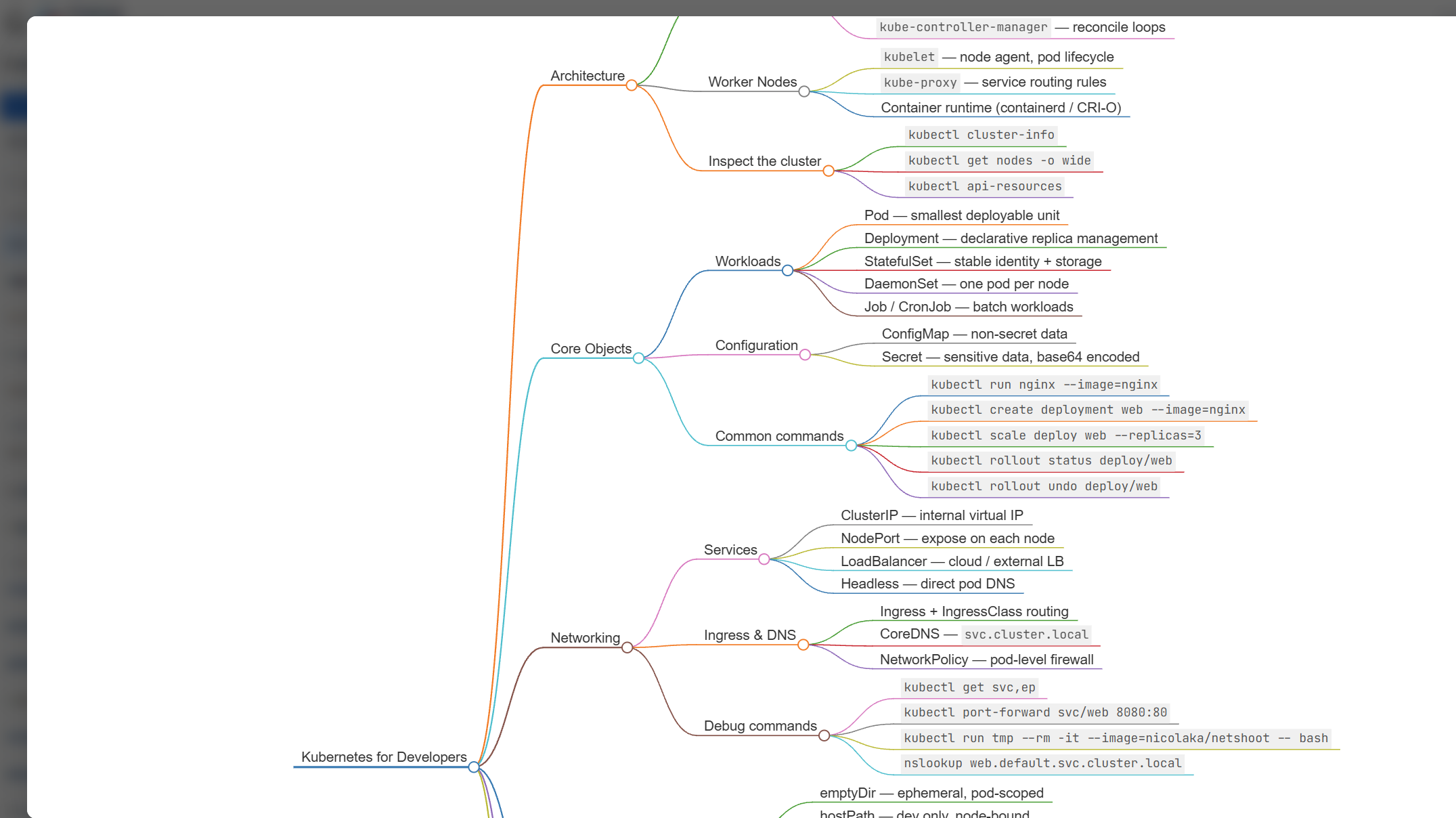
Step 2 — Supply the content. Paste notes, a spec section, or a bullet list. Real material produces a far better hierarchy than an empty topic prompt, because the bot organizes what exists instead of inventing filler.
Step 3 — Review the skeleton first. Check branch count and symmetry before worrying about wording. Restructuring is cheapest at the outline stage.
Step 4 — Iterate on depth. “Too deep — collapse Operations to two levels.” “Promote Networking to a top branch and demote the Service Mesh sub-branch under it.”
Step 5 — Tune formatting. Ask for highlights on key terms, checkboxes on action items, code fences for snippets, or links on references.
Step 6 — Set the palette. Themes include default, forest, ocean, sunset, violet, and several others; useful when the map sits alongside branded material.
Step 7 — Render and share. Paste the block into any tool that supports it, or view it at https://www.vpascode.com.
7. Example
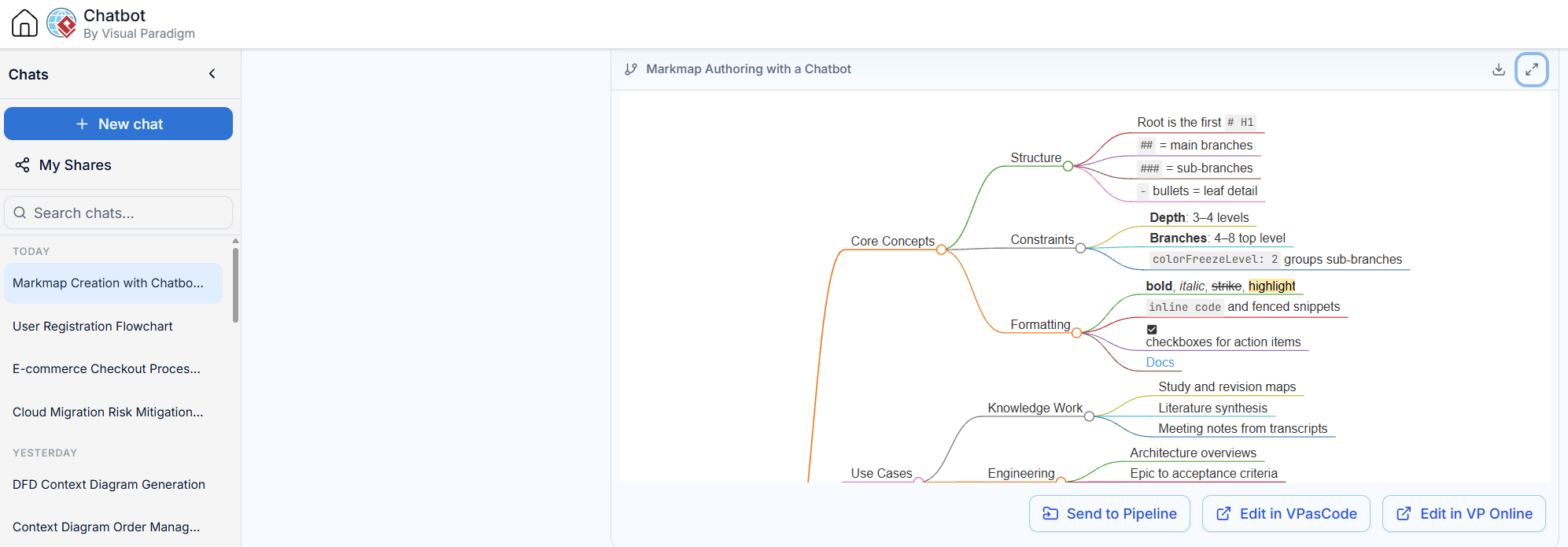
A complete, renderable mindmap on exactly this topic — useful as both a template and a reference for the conventions above:
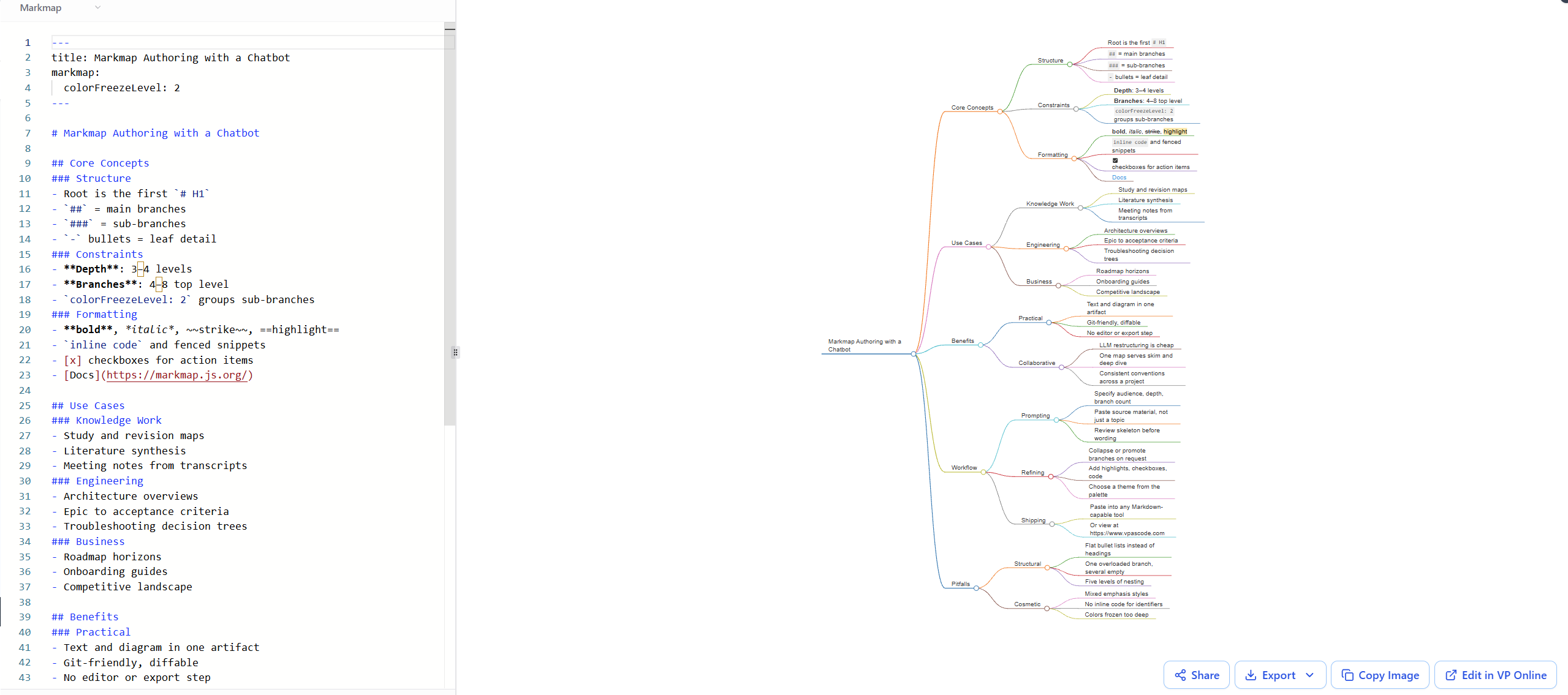
---
title: Markmap Authoring with a Chatbot
markmap:
  colorFreezeLevel: 2
---

# Markmap Authoring with a Chatbot

## Core Concepts
### Structure
- Root is the first `# H1`
- `##` = main branches
- `###` = sub-branches
- `-` bullets = leaf detail
### Constraints
- **Depth**: 3–4 levels
- **Branches**: 4–8 top level
- `colorFreezeLevel: 2` groups sub-branches
### Formatting
- **bold**, *italic*, ~~strike~~, ==highlight==
- `inline code` and fenced snippets
- [x] checkboxes for action items
- [Docs](https://markmap.js.org/)

## Use Cases
### Knowledge Work
- Study and revision maps
- Literature synthesis
- Meeting notes from transcripts
### Engineering
- Architecture overviews
- Epic to acceptance criteria
- Troubleshooting decision trees
### Business
- Roadmap horizons
- Onboarding guides
- Competitive landscape

## Benefits
### Practical
- Text and diagram in one artifact
- Git-friendly, diffable
- No editor or export step
### Collaborative
- LLM restructuring is cheap
- One map serves skim and deep dive
- Consistent conventions across a project

## Workflow
### Prompting
- Specify audience, depth, branch count
- Paste source material, not just a topic
- Review skeleton before wording
### Refining
- Collapse or promote branches on request
- Add highlights, checkboxes, code
- Choose a theme from the palette
### Shipping
- Paste into any Markdown-capable tool
- Or view at https://www.vpascode.com

## Pitfalls
### Structural
- Flat bullet lists instead of headings
- One overloaded branch, several empty
- Five levels of nesting
### Cosmetic
- Mixed emphasis styles
- No inline code for identifiers
- Colors frozen too deep8. Common Mistakes
- Bullets where headings belong. A long
-list under a single##produces a comb-shaped map, not a tree. Branches must be headings. - Asymmetric weight. One branch with nine children and four with one each looks broken regardless of content quality.
- Ignoring the depth budget. Past four levels, node labels truncate and the map stops being scannable.
- Over-formatting. Highlights everywhere means highlights nowhere. Reserve ==highlight== for the genuinely load-bearing terms.
- Unfenced plain Markdown. Without the wrapper, the output renders as a document rather than a mindmap.
