


Introduction
As a technical lead managing a growing suite of microservices, our engineering team was drowning in documentation debt. We were juggling multiple tools: Visio for high-level architecture, Lucidchart for quick flows, and local PlantUML setups for database schemas. The result? Broken connector lines, version-control nightmares with binary image files, and a massive friction point for new developers who had to configure local Java and Graphviz environments just to view a diagram.
We knew we needed to adopt a “Diagram as Code” approach, but early tests with existing tools felt fragmented. Enter VPasCode (Visual Paradigm as Code). Marketed as a browser-based, multi-engine text-to-diagram platform with deep AI integration, it promised to be the unified hub we desperately needed.
I took VPasCode for a comprehensive three-week test drive with our team. Below is my hands-on case study of how we implemented it, followed by my unfiltered product review and feedback on its features—especially its groundbreaking AI transparency tools.
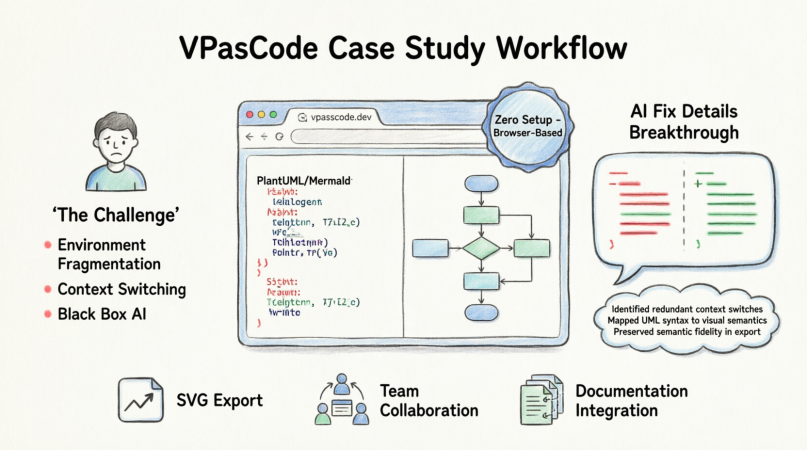
The Challenge: Why We Needed a Change
Before adopting VPasCode, our documentation workflow was broken.
- Environment Fragmentation: Developers using PlantUML constantly faced “it works on my machine” issues due to mismatched local dependencies.
- Context Switching: We had to leave our IDEs and markdown editors to use drag-and-drop web tools, breaking our flow state.
- The “Black Box” AI Problem: We tried a couple of AI diagram generators, but when the AI made a mistake or “fixed” our code, it did so silently. We couldn’t audit what the AI changed, making us hesitant to trust it with complex enterprise architecture.
We needed a zero-setup, browser-based workspace that supported multiple syntax engines and, most importantly, treated the developer as the ultimate authority over the code.
Case Study in Action: Our Implementation Workflow
To test VPasCode, we tasked ourselves with documenting a new “Library Asset Management System.” Here is the exact workflow our team followed using the platform.
Step 1: Zero-Friction Onboarding
The biggest immediate win was the lack of onboarding friction. I shared the VPasCode web link with my team. There was no software to install, no npm dependencies to configure, and no local Java environments to debug. We were immediately dropped into an empty, IDE-grade sandbox.
Step 2: Leveraging Multi-Engine Flexibility
Unlike tools that lock you into one syntax, VPasCode allowed us to use the right tool for the right job within the same workspace:
- We used PlantUML to map out the strict, object-oriented database relations and class hierarchies for the Asset system.
- We toggled over to Mermaid.js to quickly draft the user-facing markdown documentation for the book borrowing sequence flow.
Step 3: AI-Assisted Drafting
Instead of writing every line from scratch, we utilized the built-in AI Assistant. I prompted the chatbot with: “Generate a library system where members can borrow or reserve books, including an abstract Asset class.” Within seconds, it generated a highly accurate baseline syntax block. We then manually refined the business logic, saving us about 30% of our initial drafting time.
Step 4: Real-Time Preview and Iteration
The two-column split view was a game-changer. The left side provided a robust code editor with line numbering, while the right side rendered the vector canvas in real-time. When we made a typo, the live error count on the status bar alerted us immediately.
Product Review: The “AI Fix Details” Game-Changer
While the multi-engine support and zero-setup environment are fantastic, the feature that truly won me over—and the reason I am writing this review—is the “AI Fix Details” panel.
In my experience, when automated tools fix code, it often feels like magic. But as engineers, we hate black boxes. If an AI silently rewrites our business logic to fix a syntax error, we lose trust in the tool. Visual Paradigm solved this by introducing a side-by-side code diff component accompanied by natural language reasoning.
The Upgraded Workflow in Action
Here is how this transparency feature played out during our case study when we intentionally introduced syntax errors to test the system:
- The Fix: When I hit “Fix by AI”, the engine instantly repaired my syntax and rendered the diagram.
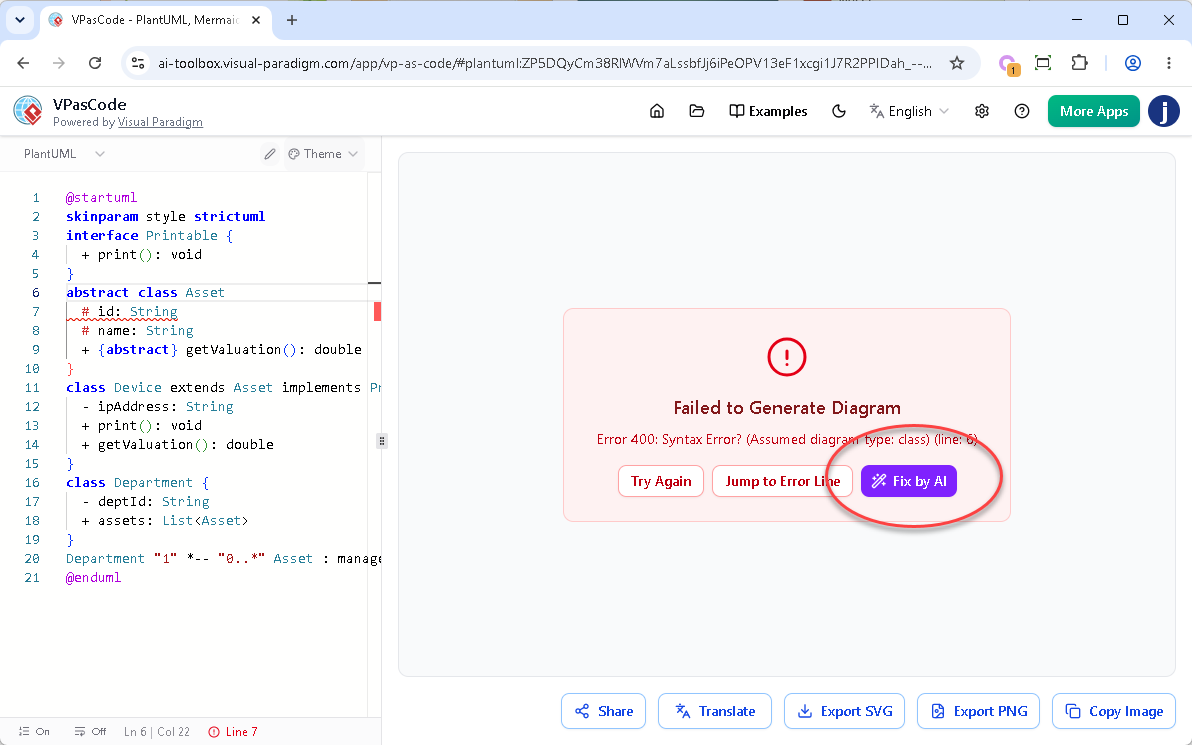
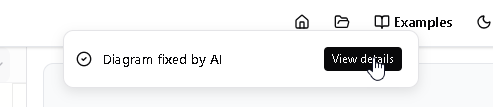
- The Notification: A sleek notification banner appeared at the top of the screen: “Diagram fixed by AI”.
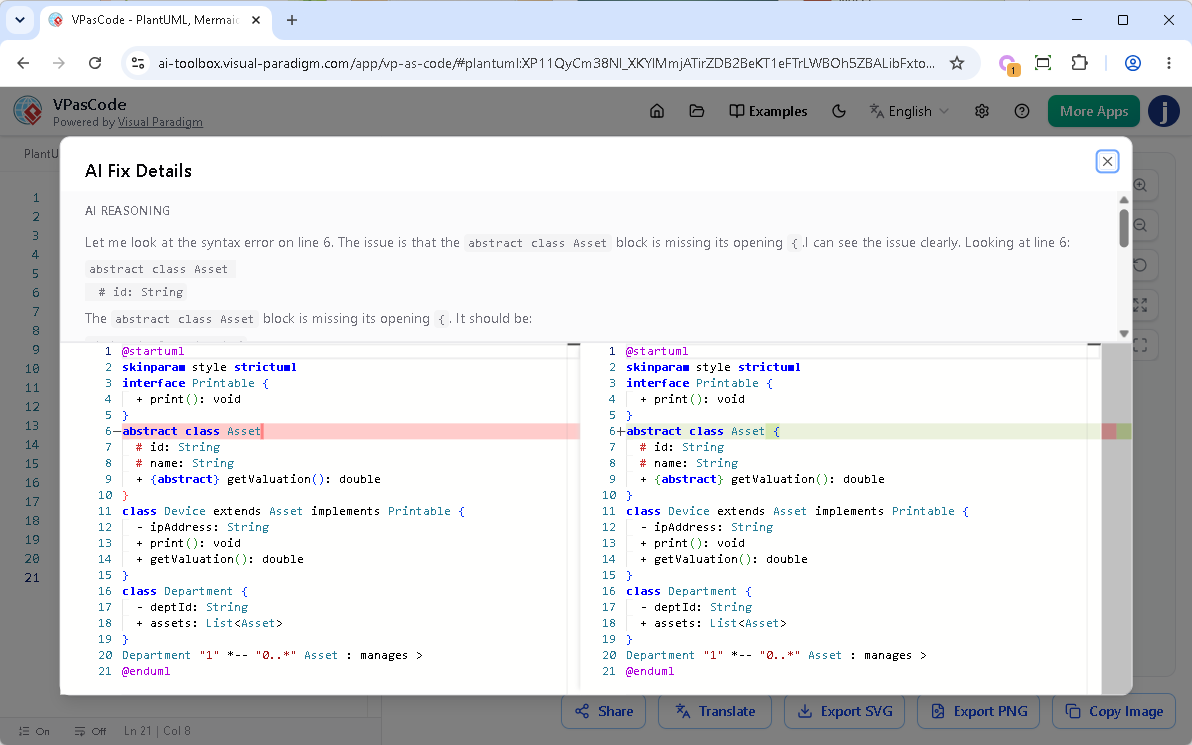
- The Reveal: Next to the banner, a “View details” button opened a comprehensive popup dialog detailing the exact modifications.
Inside the AI Fix Details Dialog
The dialog is divided into two highly informative sections:
- Upper Part (AI Reasoning): A plain-English explanation from the AI detailing exactly what syntax issue it discovered (e.g., “Missing opening bracket on line 7”) and how it approached the solution.
- Lower Part (Code Diff Component): A precise, side-by-side comparison of the code block. Red highlights marked the broken sections on the left, while green highlights cleanly called out the repaired syntax on the right.
Try It Yourself
You can test this exact enhancement using the problematic PlantUML code below. Notice the missing opening bracket { on the abstract class Asset line. Click the link to open VPasCode and watch the AI repair it transparently.
@startuml
skinparam style strictuml
interface Printable {
  + print(): void
}
abstract class Asset
  # id: String
  # name: String
  + {abstract} getValuation(): double
}
class Device extends Asset implements Printable {
  - ipAddress: String
  + print(): void
  + getValuation(): double
}
class Department {
  - deptId: String
  + assets: List
}
Department "1" *-- "0..*" Asset : manages >
@endumlCorrected Version (AI Fix)
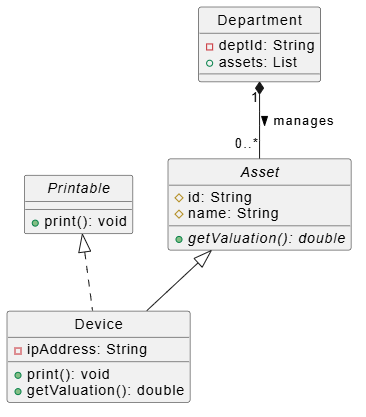
@startuml
skinparam style strictuml

interface Printable {
  + print(): void
}

abstract class Asset {
  # id: String
  # name: String
  + {abstract} getValuation(): double
}

class Device extends Asset implements Printable {
  - ipAddress: String
  + print(): void
  + getValuation(): double
}

class Department {
  - deptId: String
  + assets: List
}

Department "1" *-- "0..*" Asset : manages >
@endumlMy Honest Feedback on the AI Transparency
- Absolute Trust: The code diff gives me total peace of mind. It proves that the AI is safely targeting the exact syntax error without making arbitrary changes to my underlying business logic.
- Interactive Learning: By reading the AI’s plain-text reasoning and seeing the visual diff, the platform transforms from a simple editor into an active learning tool, helping junior devs master subtle syntax nuances in PlantUML and Mermaid.
- Effortless Auditing: Knowing exactly what changed allows me to easily audit modifications or manually revert specific choices if the AI’s correction didn’t align with my original architectural intent.
Final Verdict: Is VPasCode Worth the Investment?
After three weeks of intensive use, VPasCode has officially replaced our fragmented diagramming stack. It successfully bridges the gap between developer-centric “code-first” workflows and the visual requirements of enterprise architecture. The elimination of local dependencies combined with an IDE-grade editor makes it an incredibly sticky tool for our daily stand-ups and sprint planning.
The Pros:
- True zero-setup, browser-based workspace.
- Seamless toggling between PlantUML, Mermaid, and Graphviz.
- Unmatched AI transparency with the side-by-side Code Diff and reasoning panel.
- OpenDocs Pipeline integration for embedding live diagrams into our team manuals.
The Catch:
It is important to note that while the basic sandbox is free to try, the enhanced AI Fix Details dialog and premium AI features require a premium account (such as the Visual Paradigm Online Combo Edition or Visual Paradigm Desktop Professional Edition with active maintenance). For a professional engineering team, this is a justifiable cost given the time saved, but individual hobbyists should be aware of the paywall for the advanced AI tools.
For teams looking to modernize their engineering documentation, eliminate drag-and-drop fatigue, and leverage AI without sacrificing code transparency, VPasCode is an absolute must-try.
Try it now at: https://www.vpascode.com/editor/
References & Further Reading
- VPasCode Features Overview: Official feature overview of Visual Paradigm’s unified text-to-diagram platform.
- Introducing VPasCode: The Ultimate Unified Text-to-Diagram Platform: Release notes and introduction to the VPasCode browser workspace.
- Comprehensive Guide to VPasCode by Visual Paradigm: A complete walkthrough and user guide for mastering VPasCode.
- VPasCode: Revolutionizing Engineering Documentation with Diagram as Code: Third-party review on how VPasCode transforms technical documentation.
- From Prompt to Pattern: Mastering UML Class Diagrams with AI: Guide on using AI prompts to generate UML class diagrams in VPasCode.
- Revolutionizing Diagram Maintenance: AI Auto-Fix: Overview of VPasCode’s AI syntax repair and auto-fix capabilities.
- Break Language Barriers Natively with VPasCode’s AI Diagram Translation: Release update covering the new multi-language translation feature for diagram labels.
- Mastering VPasCode: The Ultimate Guide to AI-Powered Diagram as Code: Advanced guide covering multi-engine support including PlantUML, Mermaid, and Graphviz.
- Seamlessly Connect Diagramming to Documentation: OpenDocs Integration: Update detailing the OpenDocs Pipeline integration for embedding live diagrams.
- Mastering Use Cases: From Concept to Implementation: Tutorial on building use case diagrams using the diagram-as-code approach.
-
Mastering AI-Enhanced Use Case Modeling: A Beginner’s Guide: Beginner-friendly guide to combining AI with PlantUML for use case modeling.
Related posts:
 Orchestrating Team Harmony: How Visual Paradigm OpenDocs Revolutionizes Real-Time Collaborative Documentation
Diagram-as-Code Made Simple: A Comprehensive Guide to Visual Paradigm VPasCode
The Modern Modeler’s Guide: Activity Diagrams with VPasCode & AI
Why UML Remains Relevant in the AI Era: Visual Paradigm, Diagram-as-Code, and Modern Agile
Orchestrating Team Harmony: How Visual Paradigm OpenDocs Revolutionizes Real-Time Collaborative Documentation
Diagram-as-Code Made Simple: A Comprehensive Guide to Visual Paradigm VPasCode
The Modern Modeler’s Guide: Activity Diagrams with VPasCode & AI
Why UML Remains Relevant in the AI Era: Visual Paradigm, Diagram-as-Code, and Modern Agile
