
NotesKeep & VP AI: Transforming Static Notes into Dynamic Models
In the realm of systems engineering and project management, information often becomes siloed. Meeting minutes sit in documents, requirements are buried in spreadsheets, and technical specs are scattered across PDFs. This fragmentation makes it difficult for teams to visualize the “big picture” or quickly answer complex questions about a project’s status.
Visual Paradigm has addressed this challenge by bridging the gap between unstructured text and structured visual modeling. By integrating the NotesKeep repository with the Visual Paradigm AI Diagramming Chatbot, users can transform static text into interactive knowledge bases and automated diagrams. This tutorial explores the system architecture and workflow of this powerful integration.
The Architecture of Knowledge Synthesis
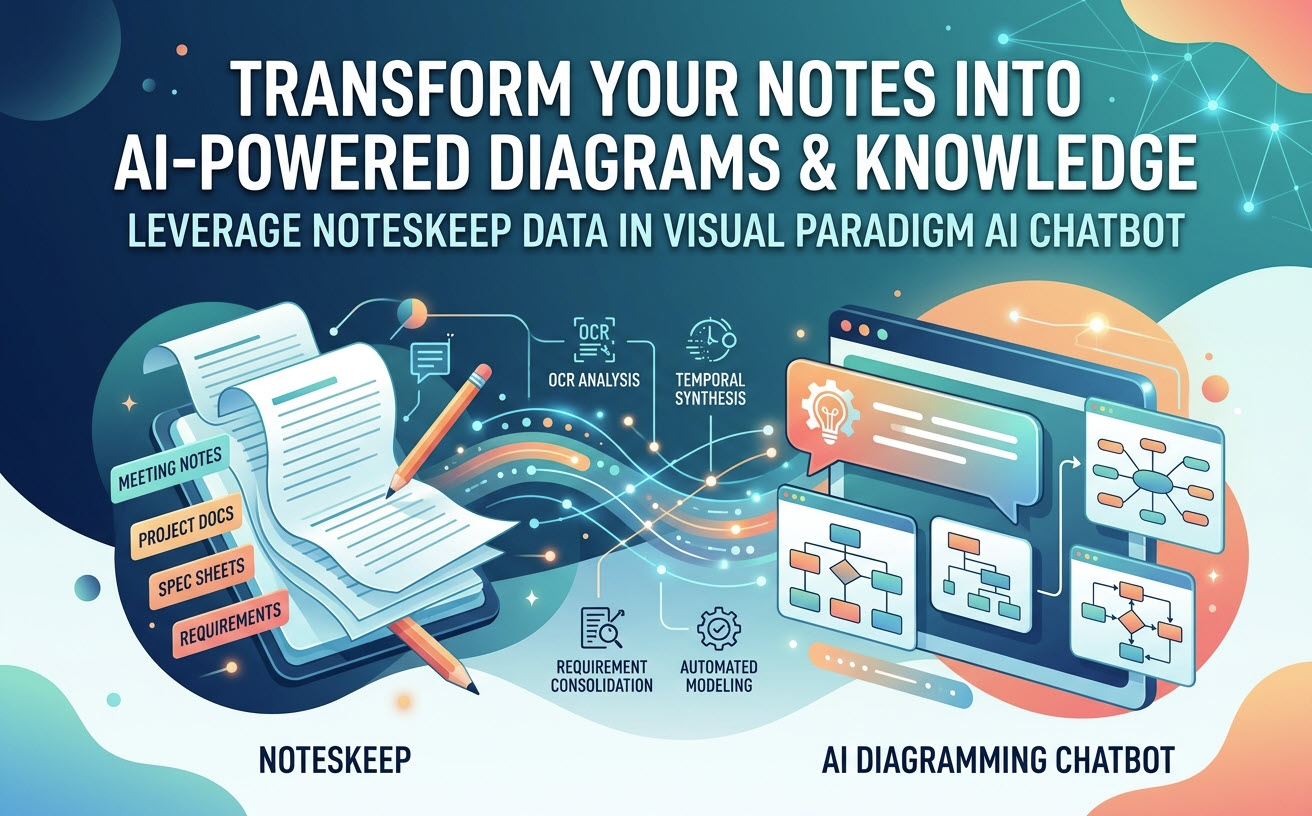
The integration relies on a pipeline that takes raw data from the NotesKeep repository, processes it through intelligent analysis, and synthesizes it into visual representations or answers. The process generally follows three distinct stages: Data Ingestion, Intelligent Processing, and Automated Synthesis.
1. Data Ingestion: The Unified Repository
The foundation of this system is the NotesKeep workspace. Unlike traditional file storage, NotesKeep acts as a centralized semantic layer. It accepts a wide variety of inputs, including:
- Meeting Notes: Transcripts and summaries of project discussions.
- Project Documentation: Formal requirements, user stories, and functional specs.
- Imported Files: PDFs, images, and raw text documents.
When these items are uploaded, they are indexed, making the content searchable and accessible to the AI engine.
2. Intelligent Processing: OCR & Temporal Synthesis
Once data is ingested, the AI Chatbot applies advanced processing techniques to understand the context. The architecture diagram highlights two critical processing engines:
- OCR Analysis (Optical Character Recognition): Not all notes are digital text. Hand-drawn whiteboards or scanned documents require OCR to extract text and interpret the spatial relationships of elements. This allows the AI to “see” sketches and convert them into data points.
- Temporal Synthesis: Projects evolve. This feature analyzes the history of notes to understand the timeline of decisions. It reconciles changing requirements by understanding the context of when a decision was made versus current status.
3. Automated Synthesis: From Text to Diagram
The final stage is the output generation. The AI does not just retrieve text; it generates visual models. This is achieved through:
- Requirement Consolidation: The AI aggregates scattered requirements from different notes into a coherent list.
- Automated Modeling: Based on the consolidated requirements, the system generates professional diagrams (such as Flowcharts, UML, or Entity Relationship Diagrams) directly within the workspace.
Step-by-Step: Executing the Workflow
To leverage this system, a user typically follows a specific workflow that moves from raw input to visual output.
Step 1: Define the Scope
Begin by ensuring all relevant project artifacts are present in the NotesKeep repository. This is the “ground truth” for the AI. The more comprehensive your documentation, the more accurate the AI’s synthesis will be.
Step 2: Initiate the AI Chatbot
Access the standalone Visual Paradigm AI Diagramming Chatbot. Instead of writing code or manually drawing shapes, the user interacts with the chat interface. The AI is configured to “read” the current project context from the NotesKeep repository.
Step 3: Query and Generate
Ask specific questions or issue commands. The AI parses the natural language query, searches the repository using the OCR and Synthesis engines, and generates the response. For example, you might ask:
"Based on the meeting notes from last Tuesday and the technical specs, generate a system architecture diagram."
The AI then constructs the diagram, linking entities and flows based on the semantic meaning of the text.
Technical Implementation: The Logic of Diagramming
Behind the scenes, the AI utilizes a logic engine to map text to diagrammatic elements. When the user requests a diagram, the system follows a logical sequence to ensure accuracy.
graph TD
    A[User Query] --> B{Context Retrieval}
    B -->|Search Repository| C[NotesKeep Index]
    C -->|Extract Entities| D[Semantic Analysis]
    D -->|Map to Model| E[Diagram Schema]
    E -->|Render| F[Visual Output]

    subgraph "Processing Engine"
    G[OCR Analysis] -.-> D
    H[Temporal Synthesis] -.-> D
    end

    D --> G
    D --> H
The logic above demonstrates that the user query triggers a context retrieval process. The system does not guess; it pulls data from the indexed repository. The OCR and Temporal Synthesis modules feed into the Semantic Analysis, ensuring that even handwritten notes or historical context are factored into the final diagram schema.
Conclusion
The integration of NotesKeep and the Visual Paradigm AI Diagramming Chatbot represents a shift from passive documentation to active knowledge management. By automating the tedious process of diagramming and enabling natural language queries over complex project data, teams can focus on high-level decision-making rather than manual modeling.