Introduction: Why I Finally Tackled State Machine Diagrams (And Why You Should Too)
As someone who’s spent years wrestling with complex system designs, I’ll admit: state machine diagrams used to intimidate me. The nested states, the guard conditions, the entry/exit actions—it all felt like academic theory rather than practical tooling. But when I started working on an event-driven microservices project last year, I realized I couldn’t keep avoiding them.
What followed was a surprisingly smooth learning curve, thanks largely to Visual Paradigm’s ecosystem. This isn’t a sponsored post—just my genuine experience as a product manager who needed to bridge the gap between technical specifications and stakeholder communication. If you’ve ever felt stuck trying to model object lifecycles or explain behavioral logic to your team, this guide is for you. Let me walk you through what I learned, the tools that actually helped, and how AI changed the game for me.
Understanding the “Why”: When State Machines Actually Matter
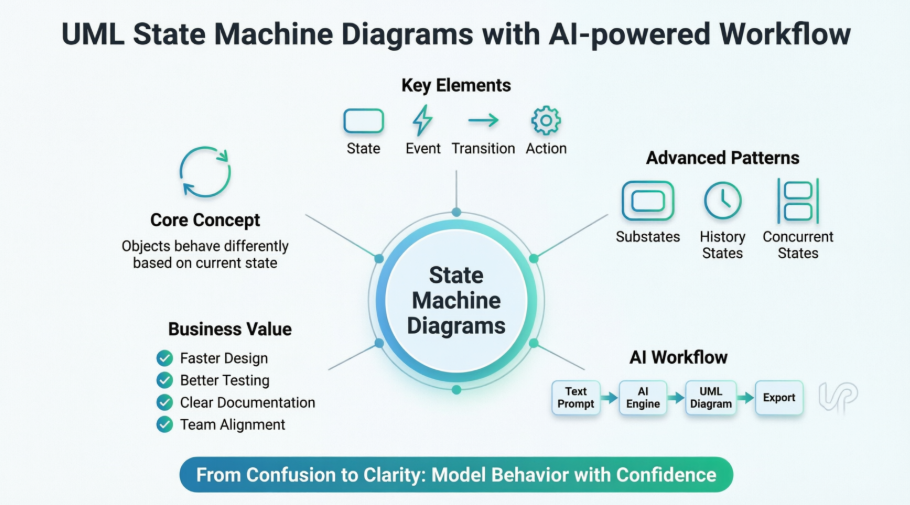
Before diving into tools, I needed to understand when to use state machine diagrams. Here’s what clicked for me:
“An object responds differently to the same event depending on what state it is in.”
That simple principle transformed how I think about system behavior. Take the bank account example from my research:

With $100,000 in the account, a withdrawal just reduces the balance. But if that withdrawal would make the balance negative? Suddenly the behavior changes entirely—a transition fires, new rules apply, and the system enters a different state. This isn’t just about attributes; it’s about modeling context-dependent behavior.
What I appreciated: State machine diagrams don’t just document what a system does—they explain why it behaves differently under different conditions. That’s invaluable for debugging, testing, and onboarding new team members.
Breaking Down the Basics: My “Aha!” Moments with Core Concepts
States: More Than Just Boxes
I used to think states were just labels. Then I read Rumbaugh’s definition:
“A state is an abstraction of the attribute values and links of an object. Sets of values are grouped together into a state according to properties that affect the gross behavior of the object.”
Suddenly it made sense: states group together conditions that produce similar behavioral responses. Here’s the notation that helped me visualize it:

Key insight: A state occupies time. It’s not a moment—it’s a period where certain rules hold true.
Initial & Final States: Starting and Ending Right

The solid circle for initial state and concentric circles for final state seemed trivial at first. But I learned that:
-
Open-loop diagrams (with final states) model objects that can terminate independently
-
Closed-loop diagrams model objects that live as long as the system does
This distinction matters when designing resilient systems.
Events & Transitions: The Triggers That Drive Change
Events are the “when,” transitions are the “how.” I found this breakdown essential:
-
Signal events: Async messages arriving
-
Call events: Procedural operation calls
-
Time events: “After 30 seconds…”
-
Change events: “When balance < $0…”
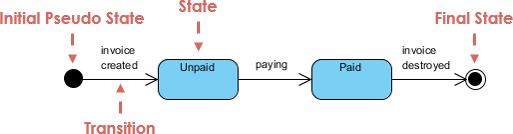
Pro tip I discovered: Label transitions clearly with event [guard] / action. It reads almost like plain English once you get the hang of it.
Actions vs. Activities: Atomic vs. Ongoing
This distinction tripped me up initially:
-
Actions: Atomic, uninterruptible (e.g.,
entry / logStateChange) -
Activities: Ongoing, potentially interruptible computations

The BookCopy example above showed me how entry/exit actions ensure consistent behavior every time a state is entered or left—critical for audit trails and state validation.
Leveling Up: Advanced Patterns That Actually Simplify Complexity
Substates: Taming Nested Logic
When my auction system design started getting messy, substates saved me. Instead of one giant flat diagram, I could nest related states:
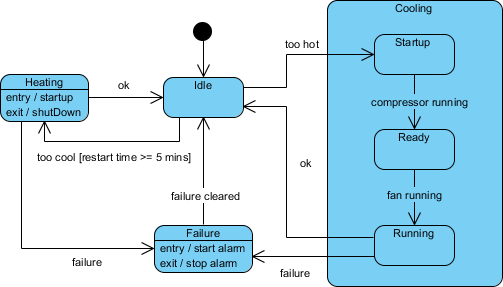
What worked for me: Using composite states to group “Heating” and “Cooling” substates under a broader “Climate Control” state. It made the diagram readable and the logic testable.
History States: Remembering Where You Were
This feature felt like magic. Normally, re-entering a composite state restarts from its initial substate. But with history states:

The system remembers the last active substate. For my e-commerce order flow, this meant a paused order could resume exactly where the user left off—not from scratch.
Concurrent States: Modeling Parallel Processes
The auction example really opened my eyes:
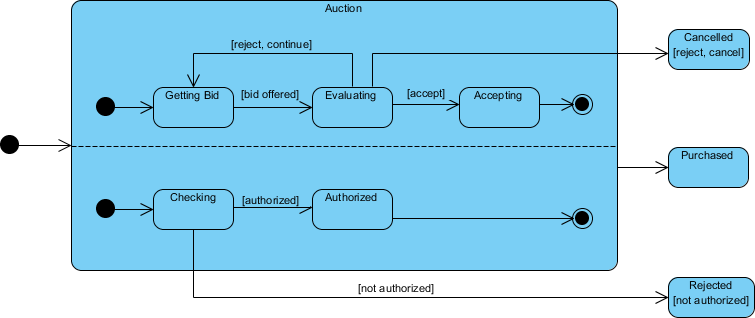
Two threads running simultaneously—bid processing AND payment authorization—within a single composite state. The fork/join notation cleanly showed synchronization points. This became essential for modeling my microservices’ parallel validation workflows.
The Game Changer: How AI Transformed My Diagramming Workflow
I’ll be honest: manually dragging shapes and aligning transitions was tedious. Then I discovered Visual Paradigm’s AI features, and my productivity jumped noticeably.
Option 1: Desktop AI Integration (My Daily Driver)
For existing projects, this workflow became my go-to:
-
Access: Tools → AI Diagram Generation
-
Select: State Machine Diagram type
-
Prompt: “Generate state diagram for user authentication: states Unauthenticated, Authenticating, Authenticated, Locked; events: loginAttempt, success, failure, lockout”
-
Refine: The AI generated a solid baseline; I added guard conditions like
[attempts < 3]manually
What impressed me: The AI understood UML semantics—not just drawing boxes, but suggesting logical transitions and proper initial/final state placement.
Option 2: AI Chatbot for Rapid Prototyping
When brainstorming with stakeholders, the web-based chatbot was perfect:

-
Describe in plain English: “Support ticket lifecycle: Open → Under Review → [Resolved or Rejected]”
-
Iterate conversationally: “Add an ‘On Hold’ state with timer event”
-
Import to desktop for final polish
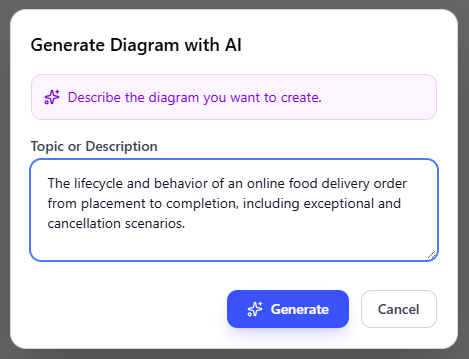
Real-world impact: What used to take 45 minutes of manual diagramming now took 8 minutes of prompt refinement.
OpenDocs Integration: Documentation That Stays in Sync
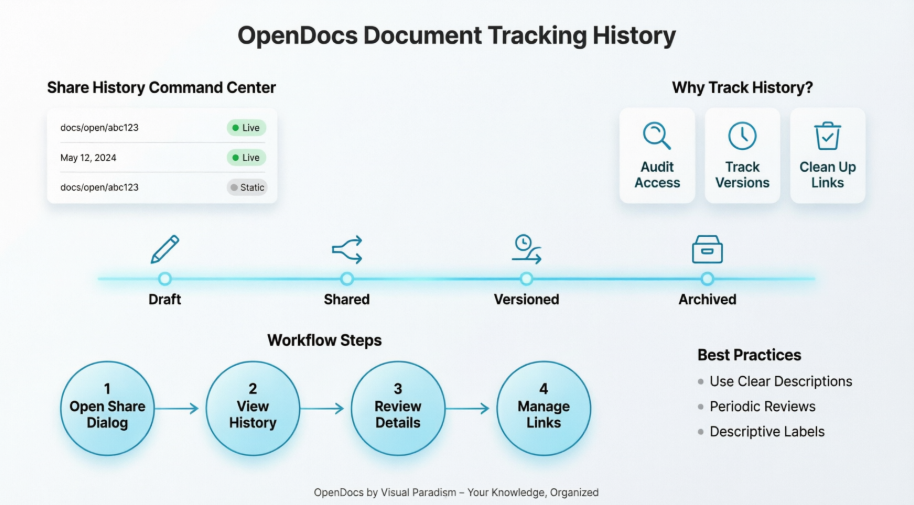
The February 2026 OpenDocs update was a revelation for my team’s knowledge base:
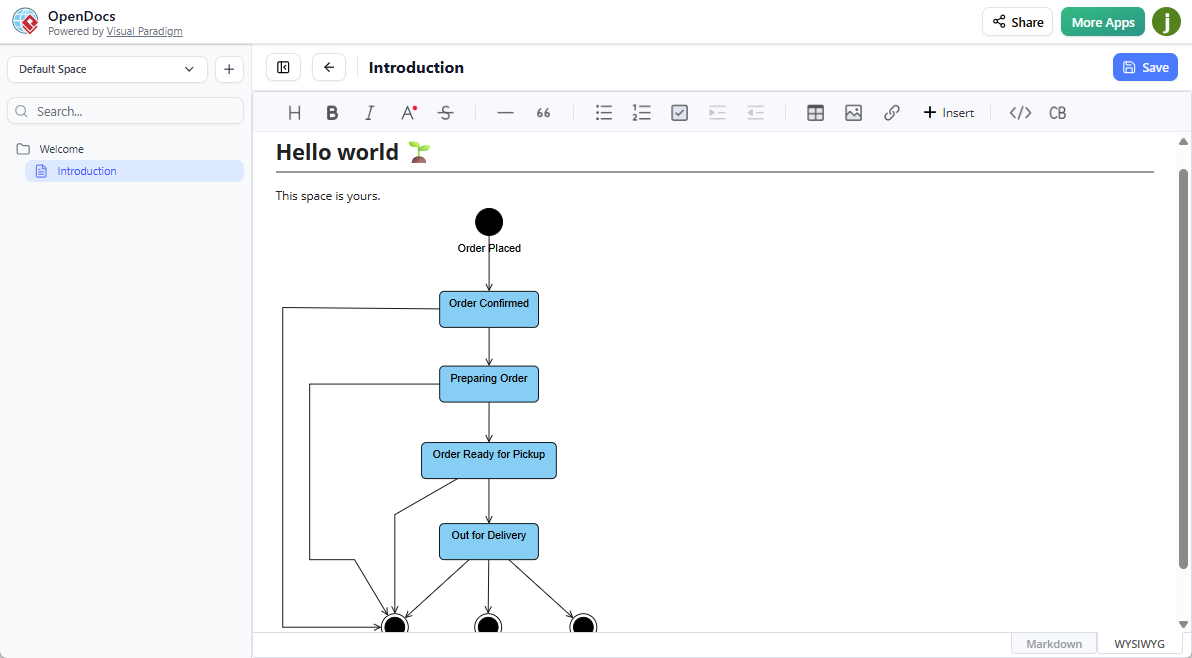
My workflow now:
-
Generate diagram via AI in OpenDocs
-
Embed directly in Markdown documentation
-
Update the diagram → documentation auto-syncs
-
Stakeholders see live, accurate behavioral models
No more stale Visio exports or outdated wiki screenshots.
Practical Tips From My Learning Curve
After months of using these tools, here’s what I wish someone had told me upfront:
✅ Start simple: Model one object’s lifecycle before tackling system-wide interactions
✅ Name states behaviorally: “AwaitingPayment” is clearer than “State3”
✅ Use guard conditions sparingly: Too many [if] clauses make diagrams hard to read
✅ Test with scenarios: Walk through “What if the user cancels during authentication?” to validate transitions
✅ Leverage AI for drafts, not final specs: The AI gets you 80% there; your domain expertise handles the nuanced 20%
Testing insight: State diagrams are goldmines for test case generation. From my heater example, I derived tests like:
-
Idle state receives “Too Hot” event → should transition to Cooling
-
Cooling/Running receives “Failure” → should enter Failure state
-
Failure state receives “Failure Cleared” → should return to Idle
Conclusion: Why This Journey Changed How I Design Systems
Looking back, mastering state machine diagrams wasn’t just about learning a UML notation—it reshaped how I think about system behavior. Instead of asking “What does this feature do?”, I now ask “How does this object behave across its entire lifecycle, under all possible conditions?”
Visual Paradigm’s tools, especially the AI-powered features, removed the friction that used to make this approach feel impractical. The ability to go from plain-English description to professional UML diagram in seconds isn’t just convenient—it democratizes behavioral modeling. Now, business analysts, QA engineers, and even non-technical stakeholders can contribute to and understand system behavior specifications.
If you’re on the fence about investing time in state machines: start small. Pick one complex object in your current project. Sketch its states. Add one transition. Use the AI tools to accelerate the tedious parts. You might be surprised how quickly clarity emerges.
The systems we build are increasingly event-driven and stateful. Having the right mental models—and the right tools to express them—isn’t optional anymore. It’s essential. And based on my experience, this combination of foundational UML knowledge plus AI-assisted tooling is the most practical path forward I’ve found.
References
- Visual Paradigm AI Diagram Generation Features: Overview of AI-powered diagram creation capabilities across UML types, including state machine diagrams, with prompt examples and integration options.
- AI Composite Structure Diagram Generator Guide: Detailed tutorial on leveraging Visual Paradigm’s AI to generate structured, professional-grade diagrams from text descriptions.
- YouTube: Create UML State Diagrams with AI: Video walkthrough demonstrating step-by-step creation of a complete state machine diagram using Visual Paradigm’s AI tools in minutes.
- Create UML State Diagrams in Seconds with AI: Article showcasing rapid state diagram generation workflows, prompt engineering tips, and real-world use cases for AI-assisted modeling.
- Mastering State Diagrams with Visual Paradigm AI: Automated Toll Systems Guide: Case study applying Visual Paradigm’s AI state diagram tools to model complex event-driven behavior in automated toll collection systems.
- Visual Paradigm AI Chatbot Features: Documentation of the conversational AI interface for diagram generation, including natural language prompting and iterative refinement capabilities.
- AI Diagram Generator Now Supports 13 Diagram Types: Release announcement detailing expanded AI diagram generation support, including state machine diagrams, with technical specifications.
- AI Diagram Generator Release Notes: Comprehensive documentation of AI diagram generation features, capabilities, limitations, and best practices for optimal results.
- Mastering UML State Machine Diagrams with Visual Paradigm AI: In-depth tutorial covering advanced state machine patterns, AI prompt strategies, and integration with testing workflows.
- Comprehensive Review: Visual Paradigm’s AI Diagram Generation Features: Independent third-party evaluation of Visual Paradigm’s AI tooling, including usability assessment, output quality analysis, and comparison with alternatives.
- Visual Paradigm AI Chatbot: UML State Machine Diagram: Direct access to the web-based AI chatbot specialized for generating and refining UML state machine diagrams through conversational prompts.
- Create UML Object Diagrams with AI: Guide to AI-assisted creation of object diagrams, with transferable techniques applicable to state machine modeling and behavioral specification.
- YouTube: UML State Diagram Tutorial with AI: Full-length video tutorial demonstrating end-to-end workflow from problem description to polished, export-ready state machine diagram using AI assistance.
- Guide to Powered UML Diagram Generation: Chatbot-embedded documentation providing contextual help, prompt examples, and troubleshooting for AI-powered UML diagram creation.
- YouTube: Advanced State Machine Modeling Techniques: Video covering advanced patterns like history states, concurrent regions, and nested substates, with AI-assisted implementation strategies.
- Mastering State Diagrams for Automated Toll Systems: Specialized guide applying state machine modeling principles to high-reliability, real-time systems using Visual Paradigm’s AI tooling.