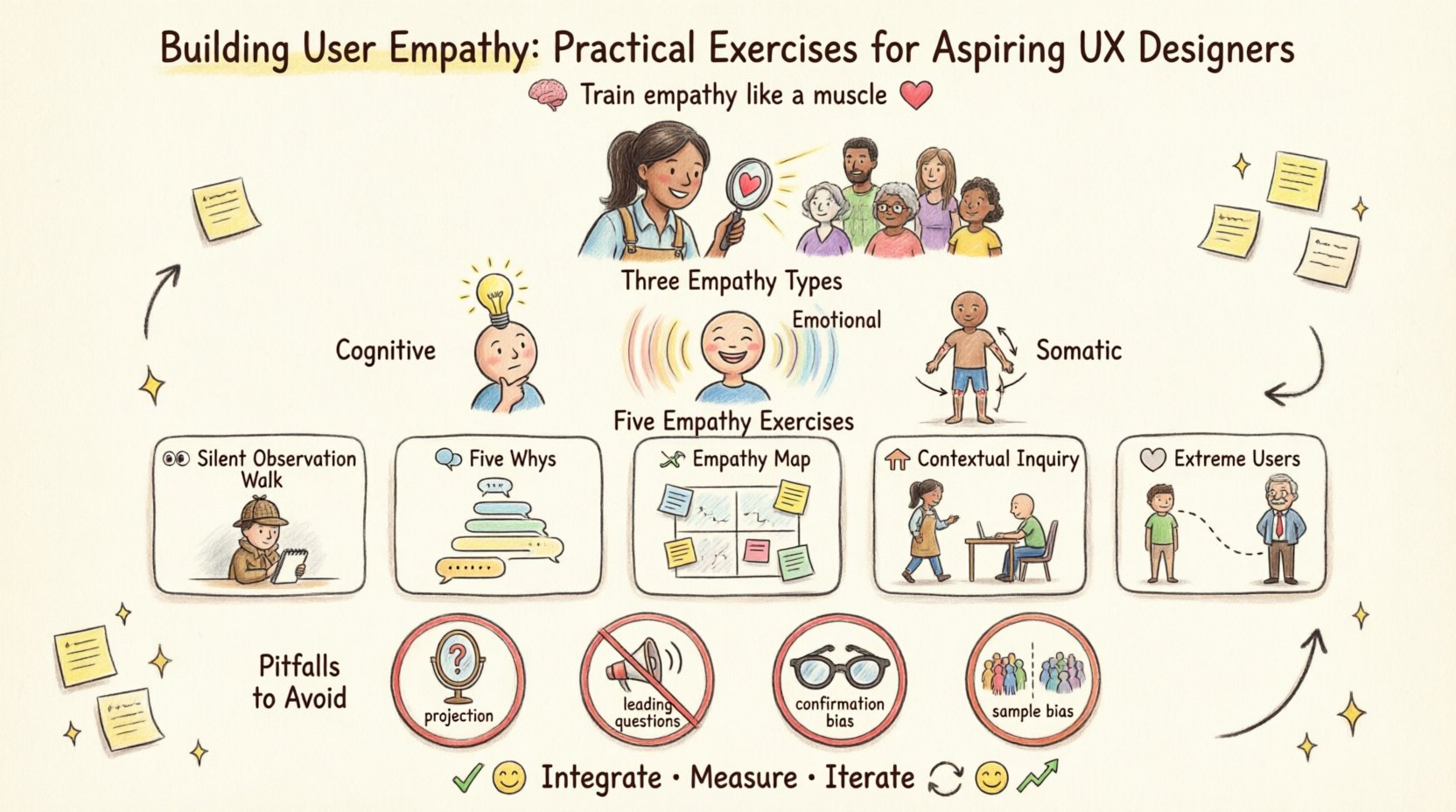
Empathy is often described as the most critical skill in user experience design. It is the bridge between a designer’s intent and a user’s reality. However, empathy is not an innate trait; it is a capability that can be trained, refined, and measured. For aspiring UX designers, moving beyond assumptions requires a disciplined approach to understanding human behavior. This guide outlines practical exercises designed to cultivate a deep, actionable understanding of the people you design for.
Defining Empathy in the Context of UX 🎯
Before engaging in exercises, it is vital to distinguish empathy from sympathy. Sympathy involves feeling pity or sorrow for someone’s situation. Empathy, in contrast, is the ability to understand the feelings, thoughts, and perspective of another person without necessarily sharing their experience. In design, this distinction is paramount.
When we say “user empathy,” we are referring to cognitive empathy (understanding what the user thinks) and emotional empathy (understanding what the user feels). This dual approach allows you to design solutions that are not only functional but also emotionally resonant.
- Cognitive Empathy: Understanding the user’s mental model. How do they navigate information? What are their goals?
- Emotional Empathy: Recognizing the user’s emotional state. Are they frustrated, anxious, or excited?
- Somatic Empathy: Recognizing physical reactions. How does the environment affect their body language or comfort?
Developing these three layers ensures that your designs address the whole human, not just the functional requirements of a task.
Exercise 1: The Silent Observation Walk 👀
One of the most effective ways to build empathy is to stop talking and start watching. This exercise removes the bias of verbal communication and allows natural behavior to emerge.
Objective
To observe users in their natural environment without intervention, identifying pain points that users might not articulate verbally.
Preparation
- Select a location relevant to your product or service (e.g., a coffee shop for a payment app, a commute route for a navigation tool).
- Bring a notebook and pen. Avoid using devices that might distract you or the subjects.
- Define a specific focus area, such as “waiting behavior” or “interaction with signage”.
Execution Steps
- Settle In: Find a vantage point where you can observe for at least 30 minutes.
- Watch Actions: Note physical movements. Do they hesitate? Do they sigh? Do they frown?
- Track Context: Note external factors. Is it noisy? Is it raining? Is the lighting poor?
- Record Without Judgment: Write down what you see, not what you think is happening.
Analysis
After the observation, review your notes. Look for patterns. If three different people struggle to open the same door, that is a friction point. If a user abandons a process, note the exact moment they stop. These observations become the raw data for your design decisions.
Exercise 2: The Five Whys Interview Technique 🗣️
Users often state problems based on symptoms rather than root causes. “I need a faster horse” is a classic example. The Five Whys technique helps peel back the layers to find the underlying need.
Objective
To uncover the root cause of a user’s problem by asking “Why?” iteratively.
Preparation
- Identify a user willing to share their experience.
- Prepare open-ended questions. Avoid yes/no questions.
- Ensure the environment is quiet and comfortable for conversation.
Execution Steps
- Ask the Initial Question: “Tell me about the last time you encountered this issue.”
- User: “The app keeps crashing when I try to save.”
- Ask Why: “Why do you think that happens?”
- User: “Because the internet is slow at my house.”
- Ask Why Again: “Why is the internet slow there?”
- User: “Because the router is old and we have many devices connected.”
- Continue: Repeat this process until you reach a fundamental insight about their constraints or needs.
Outcome
By the fifth “Why,” you might discover that the user does not need a faster app, but rather an app that works offline. This shifts the design focus entirely.
Exercise 3: Creating an Empathy Map 🗺️
An Empathy Map is a collaborative visualization used to articulate what we know about a particular user type. It organizes information into four key quadrants.
Objective
To synthesize research data into a clear visual representation of the user’s mindset.
Structure
Draw a large square divided into four sections. Label them as follows:
| Says | Thinks |
|---|---|
| Direct quotes from interviews. What the user explicitly tells you. | What the user believes but may not say out loud. Their internal fears and hopes. |
| Does | Feels |
| Actions and behaviors observed. How they interact with the world. | Emotional state. Frustration, excitement, confusion, relief. |
How to Fill It
- Gather Data: Use notes from interviews and observations.
- Post-it Notes: Write each insight on a note. Place them in the relevant quadrant.
- Look for Gaps: Do you have a lot of “Says” but little “Thinks”? This indicates a need for deeper probing.
- Identify Conflicts: Does what they say conflict with what they do? (e.g., “I value privacy” but they share everything). This conflict is a key design opportunity.
Exercise 4: Contextual Inquiry 🏠
Contextual inquiry takes observation a step further. It involves interviewing users while they work, rather than in a separate session. This captures the immediate context of their work.
Objective
To understand the workflow and environment in real-time.
Key Principles
- Partnership: Treat the user as an expert. You are the novice; they are the master of their domain.
- Focus: Keep the conversation centered on the task at hand.
- Interpretation: Clarify your understanding immediately. “So, you are saying that you click here to…”
- Context: Observe interruptions, noise, and physical workspace constraints.
Process
- Entry: Ask for permission to observe. Explain that you want to learn how they do their work.
- Shadowing: Stand behind or beside the user. Do not offer help unless asked.
- Interviewing: Ask questions about what they are doing now. “Why did you switch to that other window?”
- Debrief: After the session, ask the user to walk you through the most challenging part of their workflow.
Exercise 5: Extreme User Interviews 👤
Most design focuses on the “average” user. However, extreme users—those at the far ends of the spectrum—often reveal needs that the average user hides.
Objective
To discover edge cases and universal needs by studying users who interact with the product differently.
Types of Extreme Users
- Novices: Those with zero experience. They struggle with basics that experts ignore.
- Experts: Those who have mastered the system. They find workarounds for limitations.
- Disabled Users: Those who rely on assistive technologies. They highlight accessibility requirements.
- Non-Users: Those who chose not to use the product. They reveal barriers to adoption.
Execution
Seek out a user who struggles significantly with the current solution. Ask them to complete a task. Watch where they fail. Then, seek a power user. Ask them to complete the same task. Watch where they rush or skip steps. The difference between these two experiences highlights the flexibility and robustness required in your design.
Pitfalls to Avoid in Empathy Research 🚫
Even with good exercises, designers can fall into traps that invalidate their findings. Awareness of these pitfalls is crucial for maintaining integrity.
1. Projection
This occurs when a designer assumes the user thinks like them. You might design a complex feature because you understand it, forgetting that the user does not. Always validate your assumptions with data.
2. Leading Questions
Phrasing questions in a way that suggests the desired answer. Instead of “Do you like this feature?”, ask “How do you feel about using this feature?”
3. Confirmation Bias
Only looking for evidence that supports your existing hypothesis. Actively seek disconfirming evidence. If you think users hate red buttons, look for users who love them.
4. Sample Size Bias
Conducting research with only five people and claiming universal insights. While small samples are okay for early ideation, larger datasets are needed for validation.
Integrating Empathy into the Workflow 🔄
Empathy cannot be a one-time activity at the start of a project. It must be woven into the ongoing design process.
- Design Reviews: Bring user quotes into the room during critique sessions. “Remember, Sarah mentioned she feels anxious when the loading bar stays too long.”
- Documentation: Keep empathy maps visible in the workspace. A physical printout on the wall is often more effective than a digital file in a folder.
- Continuous Feedback: Establish a channel for ongoing user feedback. Even after launch, keep listening.
- Team Alignment: Ensure developers and stakeholders understand the user context. Empathy is a shared responsibility.
Measuring Empathy Success 📏
How do you know if your empathy exercises worked? Look for changes in the design output and user outcomes.
- Reduced Support Tickets: If users understand the interface better, fewer people call for help.
- Task Completion Rates: Higher success rates indicate the design aligns with user mental models.
- Emotional Feedback: Positive sentiment in user surveys regarding how the product makes them feel.
- Adoption Rates: Users are more likely to adopt a product that feels intuitive to them.
Final Thoughts on Designing for Humans 🌱
The journey of building user empathy is continuous. Technology changes, but human needs remain relatively constant. By committing to these exercises, you ensure that your designs serve the people who rely on them.
Remember, the goal is not to control the user, but to understand them. When you understand the constraints, fears, and desires of your audience, your designs naturally become more effective. This is the essence of human-centered design.
Start small. Pick one exercise from this guide and apply it to your next project. Observe one user. Ask one “why” deeply. Over time, these small actions accumulate into a profound understanding that will define your career as a designer.