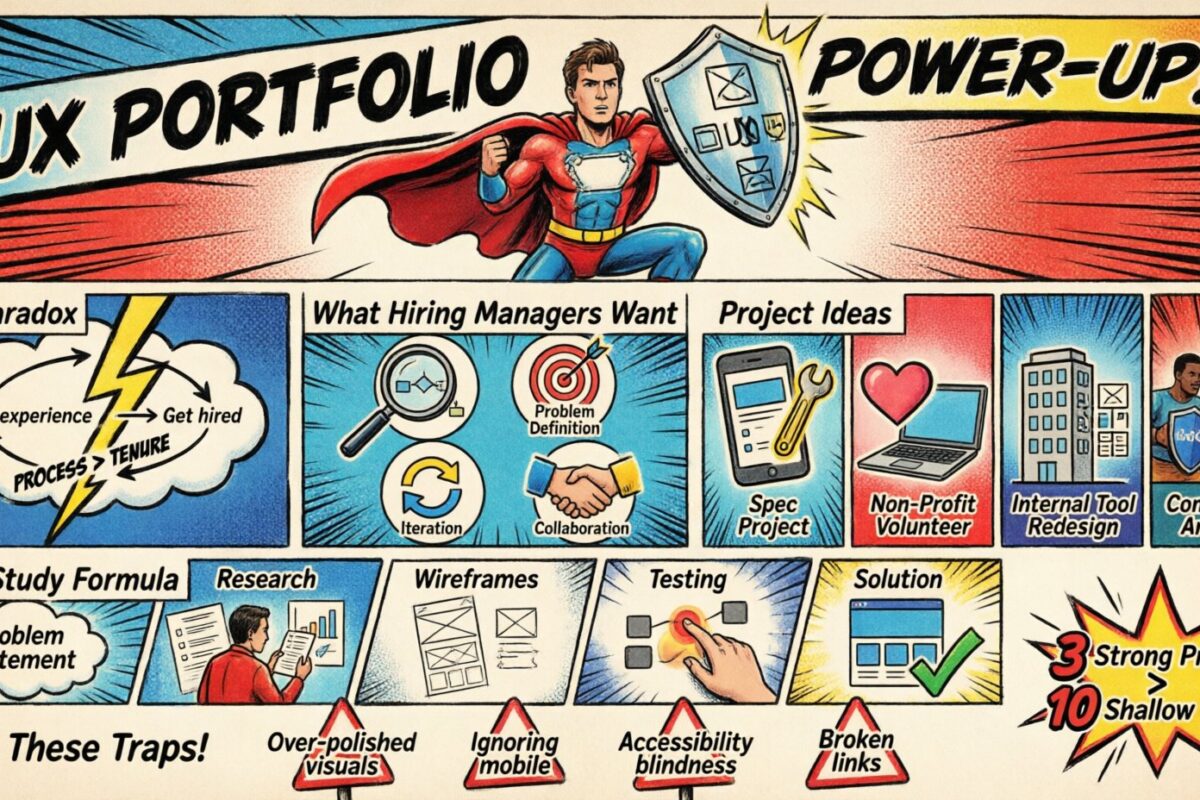
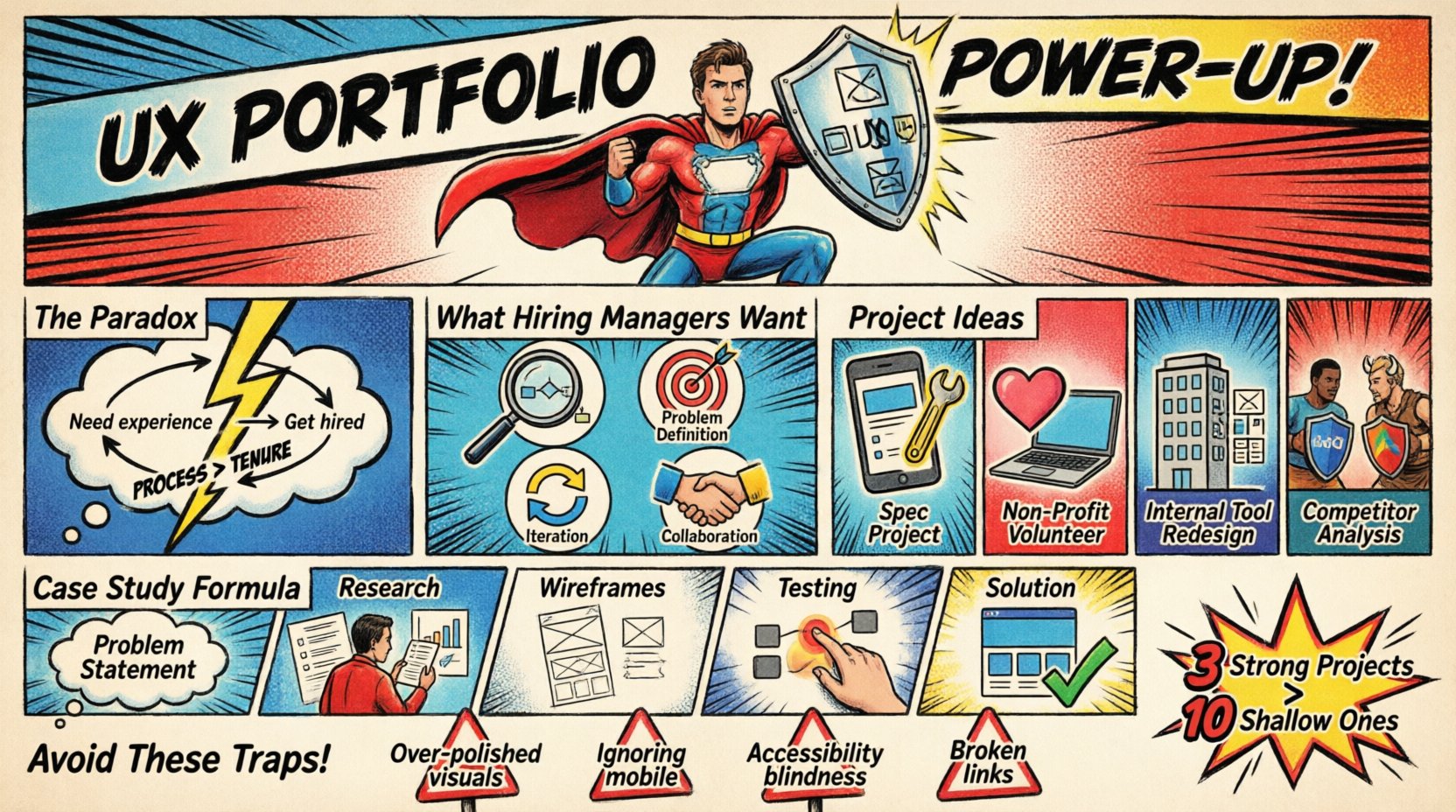
Entering the field of user experience design often feels like a paradox. Employers demand experience, yet you cannot gain experience without being hired. This cycle can be frustrating for aspiring designers, especially those transitioning from other careers or fresh out of education. However, the industry has shifted. The focus is moving away from years of tenure and toward demonstrable problem-solving skills and a clear design process.
A portfolio is your primary currency. It is the tangible proof of your ability to think, create, and deliver value. Even without a formal job history, you can construct a body of work that convinces hiring managers you are ready to contribute. This guide outlines a strategic approach to building a UX portfolio that highlights your potential, showcases your methodology, and stands out in a competitive market.
Why Experience Matters Less Than You Think 💡
When you lack professional history, you must compensate with depth in your documentation. Recruiters are not just looking for pretty screens; they are looking for evidence of how you approach problems. A portfolio built around personal projects or academic work can be just as effective as a corporate case study if the narrative is strong.
Consider the following factors that outweigh years of employment:
- Process Transparency: Can you explain why you made specific decisions?
- Problem Definition: Do you understand the difference between a symptom and a root cause?
- Iteration: Have you shown how your design evolved based on feedback?
- Collaboration: Can you demonstrate how you work with developers, product managers, or stakeholders?
By focusing on these elements, you shift the conversation from “where did you work?” to “what can you do?”.
Decoding the Hiring Manager’s Mindset 🧠
To build a compelling portfolio, you must understand what you are being judged against. Hiring managers often scan a portfolio quickly. They are looking for signals of competence and reliability. Below is a breakdown of what separates a novice submission from a professional one.
| Aspect | Novice Approach | Professional Approach |
|---|---|---|
| Focus | Visual aesthetics and final UI | Problem solving and user outcomes |
| Content | Screen captures only | Research, sketches, wireframes, and rationale |
| Metrics | None or vague claims | Specific data points or qualitative feedback |
| Context | Missing background information | Clear problem statement and constraints |
Notice the difference in the “Content” row. A professional approach acknowledges the messiness of design. It shows the sketching, the failed ideas, and the reasoning behind the final choice. This transparency builds trust.
Sourcing Meaningful Projects 🚀
If you do not have client work, you must create your own opportunities. The goal is to find problems that require genuine investigation, not just a pretty interface. Here are several avenues to generate portfolio material.
1. The Spec Project
Choose an existing app or website that frustrates you. Identify a specific pain point. For example, if a banking app makes it difficult to transfer money, design a solution for that specific flow. Do not redesign the entire application; focus on one critical user journey. This demonstrates your ability to scope work effectively.
2. Volunteer for Non-Profits
Local charities and small organizations often need digital help but cannot afford an agency. Offering your services pro bono provides real-world constraints, actual user feedback, and a real stakeholder to manage. This is invaluable experience that counts as professional work.
3. Redesigning Internal Tools
If you currently work in an office, look at the internal software your team uses. Is the time-tracking system clunky? Is the onboarding document hard to navigate? Propose a solution to your manager. Even if they do not implement it, documenting the process shows you can identify inefficiencies.
4. Competitor Analysis
Take two competing services and analyze their user flows. Document where one succeeds and the other fails. Propose a hybrid solution that takes the best elements of both. This shows critical thinking and market awareness.
When selecting projects, prioritize quality over quantity. Three well-documented projects are better than ten superficial ones.
Structuring a High-Impact Case Study 📝
A case study is a story. It has a beginning, a middle, and an end. The beginning introduces the problem, the middle describes the journey, and the end reveals the solution and its impact. Avoid dumping screenshots without context. Every image must serve a narrative purpose.
1. The Problem Statement
Start with a clear sentence that defines what you are trying to solve. Avoid vague statements like “improve the user experience.” Be specific.
- Better: “Users were abandoning the checkout process at the shipping selection stage due to confusing cost estimates.”
- Worse: “Make the checkout better.”
2. The Role and Constraints
Define your scope. Were you working alone or with a team? How much time did you have? What were the technical limitations? This grounds the reader in reality and manages expectations.
3. Research and Discovery
Show that you talk to users. Even if you only interviewed five people, document it. Mention the methods you used.
- User Interviews: What questions did you ask? What patterns emerged?
- Competitive Analysis: What did others do well? What did they miss?
- Personas: Who are you designing for? Give them names and goals.
4. Ideation and Wireframing
Display your thinking process. Share low-fidelity sketches or wireframes. Explain why you discarded certain ideas. This is where you prove you are a designer, not just a pixel pusher. Show the evolution from a rough concept to a structured layout.
5. Prototyping and Testing
Describe how you validated your designs. Did you conduct usability testing? What feedback did you receive? Crucially, describe how you changed the design based on that feedback. This demonstrates adaptability and a commitment to user needs over ego.
6. The Solution and Reflection
Present the final high-fidelity screens. Explain the key features. Then, reflect on what you learned. If you could do this project again, what would you change? Honesty about shortcomings shows maturity.
Common Mistakes That Cost You Opportunities 🚫
Even with a solid plan, pitfalls can derail your portfolio. Be vigilant about these common errors that signal a lack of readiness.
- Over-Polished Visuals: If the interface looks perfect but the reasoning is missing, it looks like a graphic design project. UX is about logic as much as aesthetics.
- Ignoring Mobile: Most users access the web via mobile devices. Ensure your designs are responsive and account for touch interactions.
- Accessibility Blindness: Show that you care about inclusivity. Mention color contrast, font sizes, and screen reader compatibility in your process.
- Missing Call to Action: At the end of your portfolio page, tell the reader what to do next. Should they email you? Fill out a contact form? Make it easy to reach you.
- Broken Links: Test every single link before publishing. A broken portfolio link is an immediate rejection.
Polishing and Presenting Your Work ✨
Your portfolio itself is a test of your UX skills. It must be accessible, fast, and easy to navigate. If a hiring manager struggles to find your contact information or read your case studies, they will assume you cannot design for users.
1. Navigation and Hierarchy
Keep the site structure simple. A standard menu should include: Home, Work, About, and Contact. Ensure the typography is readable. Use sufficient whitespace to let the content breathe. Avoid distracting animations that slow down load times.
2. Writing Style
Write in the active voice. Use short paragraphs. Use bold text to highlight key points. Recruiters scan text; they do not read every word. Make the important information pop.
3. Technical Performance
Optimize your images. Large files will slow down the site. Use modern formats. Ensure the site is mobile-friendly. If your portfolio does not load correctly on a phone, you are failing a basic usability test.
Networking While You Build 🤝
Building a portfolio is not a solitary activity. Sharing your progress can lead to opportunities and feedback. Engage with the community to refine your work and increase visibility.
- Social Media: Post snippets of your work on platforms like LinkedIn or Twitter. Tag relevant communities. Share your learning journey, not just the final result.
- Design Communities: Join forums or groups dedicated to UX. Ask for critique on your case studies. Constructive feedback is vital for improvement.
- Events: Attend local meetups or webinars. Connect with designers who are already in the field. Ask them about their hiring process.
- Informational Interviews: Reach out to hiring managers or senior designers. Ask about their team’s needs. Do not ask for a job immediately; ask for advice.
Consistency is key. Treat your portfolio like a living document. Update it as you learn new skills or complete new projects. Do not let it sit stagnant.
Final Thoughts on Your Journey 🛣️
Building a UX portfolio without prior professional experience is a challenge, but it is a manageable one. It requires discipline, curiosity, and a willingness to put your work in the hands of critics. Remember that your portfolio is not just a collection of images; it is a demonstration of your ability to solve problems.
Focus on the process. Document your thinking. Show your empathy for the user. If you can prove that you think like a designer, the lack of a job title on your resume will matter less. The industry values skill over tenure. Start building today, iterate often, and stay persistent.
Checklist for a Complete Portfolio ✅
Before you start applying, run through this final list to ensure you are ready.
- Have I included at least three detailed case studies?
- Is the “About Me” section personal and professional?
- Is there a clear “Contact” method on every page?
- Have I proofread all text for spelling and grammar errors?
- Does the site load quickly on a mobile device?
- Are my images optimized for web display?
- Have I included links to my social profiles?
- Is the navigation intuitive and simple?
- Did I remove any placeholder text or Lorem Ipsum?
- Have I tested the site in different browsers?
Completing this checklist ensures a high standard of quality. It reduces friction for the hiring manager and increases your chances of securing an interview. Good luck with your portfolio build.