


Introduction: Why I Decided to Test This AI Cloud Tool
As a solutions architect who’s spent countless hours manually dragging cloud icons in diagramming tools, I was skeptical when I first heard about an AI that could generate cloud architecture diagrams from plain English descriptions. Could it really understand my requirements? Would the output be production-ready, or just a pretty but useless sketch?
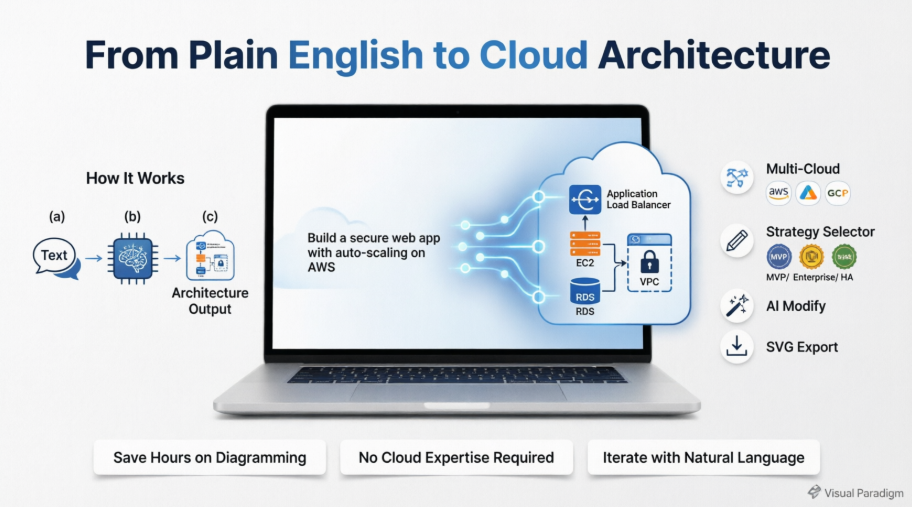
After spending two weeks testing Visual Paradigm’s AI Cloud Architecture Studio, I’m ready to share my genuine, third-party experience—from setup to final export. This isn’t a marketing piece; it’s a real-user review of whether this tool lives up to its promise of revolutionizing cloud design workflows.
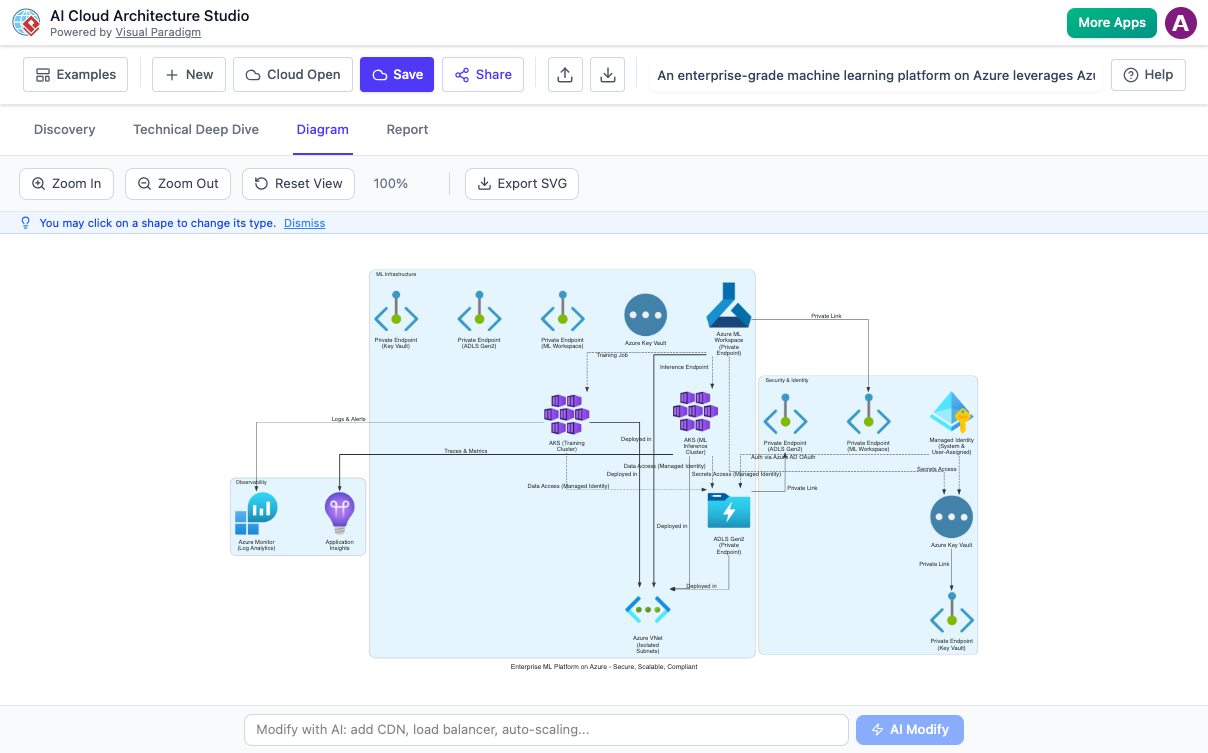
My First Impressions: The “Plain English” Promise Put to the Test
When I landed on the studio interface, I appreciated the clean, web-based workspace. No downloads, no complex setup—just a text box inviting me to “describe your cloud requirements.”
I started simple: “I need a secure web application with user authentication, a PostgreSQL database, and auto-scaling for traffic spikes on AWS.” Within seconds, the AI generated a complete architecture diagram featuring:
-
An Application Load Balancer
-
Auto-scaling EC2 instances across multiple AZs
-
RDS PostgreSQL with read replicas
-
VPC with public/private subnets
-
IAM roles and security groups properly configured
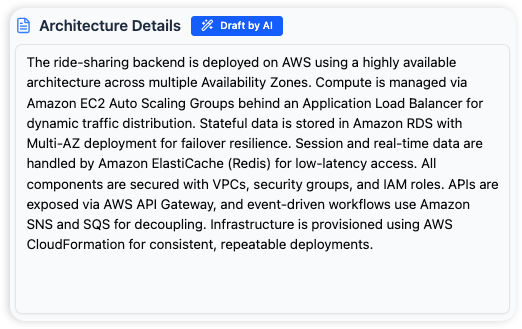
What impressed me most wasn’t just the speed—it was the logic. The AI didn’t just drop icons randomly; it understood relationships. The database was placed in private subnets, security groups referenced each other correctly, and the scaling policies made architectural sense.
Multi-Cloud Flexibility: One Tool, Many Providers
One of my biggest pain points has been maintaining separate diagramming workflows for AWS, Azure, and GCP projects. This studio claims to be “cloud-agnostic,” so I tested it across providers.
I described the same microservices architecture for Azure and Google Cloud. The AI adapted the components appropriately:
-
AWS: Used ECS Fargate, ALB, RDS
-
Azure: Swapped to AKS, Application Gateway, Azure SQL
-
GCP: Generated Cloud Run, Cloud Load Balancing, Cloud SQL
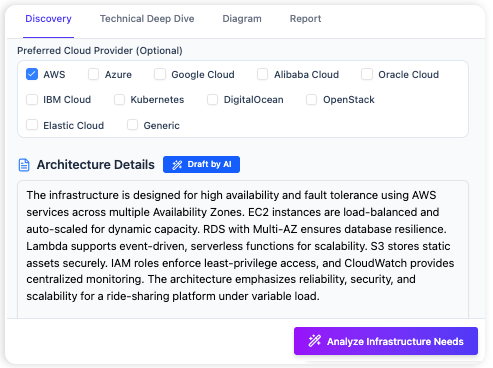
The consistency across providers was remarkable. I could even create a hybrid diagram showing AWS front-end services connecting to an on-premises database via Azure ExpressRoute—something that would have taken me hours to draft manually.
The “Plain English” Experience: No Cloud Expertise Required?
I invited a junior developer on my team (who’s still learning cloud concepts) to try the tool. I asked her to describe: “A mobile app backend that stores user photos securely.”
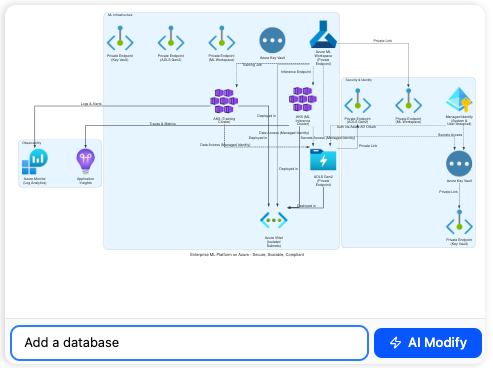
The AI generated:
-
API Gateway with authentication
-
Serverless functions for image processing
-
S3 buckets with lifecycle policies
-
CloudFront for global delivery
-
Encryption at rest and in transit flagged
She didn’t need to know what “VPC peering” or “IAM policies” meant—the AI handled the technical translation. For teams with mixed expertise levels, this democratization of architecture design is genuinely valuable.
Pre-Built Templates: Jumpstarting Complex Projects
Sometimes you don’t want to start from scratch. The studio offers a library of pre-made cloud project templates.
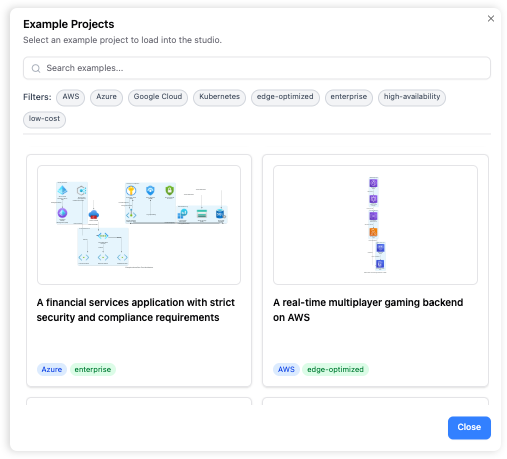
I browsed templates for:
-
E-commerce platforms with payment gateways
-
Data lakes with analytics pipelines
-
IoT ingestion architectures
-
Disaster recovery setups
Each template was professionally structured and could be customized via natural language. Instead of building a CI/CD pipeline diagram from zero, I opened a template and typed: “Add GitHub Actions integration and security scanning.” The AI updated the diagram accordingly.
Architecture Strategy Selection: Guiding the AI’s Priorities
This feature changed how I approach design reviews. Before generating a diagram, you can select an “Architecture Strategy”:
| Strategy | Best For | What the AI Prioritizes |
|---|---|---|
| Low Cost / MVP | Startups, proofs-of-concept | Minimal services, spot instances, serverless where possible |
| High Availability | Customer-facing apps | Multi-AZ deployments, auto-healing, redundant components |
| Enterprise Grade | Regulated industries | Compliance controls, audit logging, strict IAM, encryption everywhere |
| Edge Optimized | Global user bases | CDN integration, regional deployments, latency-aware routing |
When I selected “Enterprise Grade” for a healthcare project, the AI automatically added:
-
HIPAA-compliant configuration notes
-
Encryption key management services
-
Detailed audit trail components
-
PrivateLink endpoints for data exfiltration prevention
This strategic guidance ensures the output aligns with business priorities, not just technical feasibility.
Iterative Refinement: The “AI Modify” Workflow
No AI gets it perfect on the first try. What sets this studio apart is its iterative refinement capability. After the initial diagram generation, I could:
-
Click any component to view alternatives (e.g., swap RDS for Aurora)
-
Use natural language prompts: “Make the database multi-region” or “Add a WAF for DDoS protection”
-
Ask clarification questions when the AI needed more detail
The “Technical Deep Dive” feature was particularly helpful. When I described a vague requirement like “a scalable analytics platform,” the AI interviewed me:
-
“What’s your expected data volume per day?”
-
“Do you need real-time or batch processing?”
-
“Should results be accessible via API or dashboard?”
This guided discovery filled technical gaps I hadn’t even considered, resulting in a more complete architecture.
Export and Collaboration: From Diagram to Documentation
A beautiful diagram is useless if you can’t share it. The studio exports to high-quality SVG format, which preserved vector clarity when I inserted diagrams into Confluence pages and PowerPoint decks.
I also appreciated the automated reporting feature:
-
Executive Summary: High-level business value, cost estimates, risk assessment
-
Implementation Guide: Step-by-step deployment instructions for DevOps teams
-
Security Appendix: Compliance mappings and control references
These role-specific outputs reduced my documentation time by an estimated 60%.
Honest Limitations: Where the Tool Still Needs Human Oversight
To keep this review balanced, here are areas where I still needed manual intervention:
🔹 Highly Custom Integrations: If you’re using niche third-party services not in the AI’s knowledge base, you’ll need to add those components manually.
🔹 Cost Precision: While the AI suggests cost-optimized patterns, it doesn’t pull real-time pricing. Always validate estimates with your cloud provider’s calculator.
🔹 Compliance Nuances: For regulated industries (HIPAA, FedRAMP, GDPR), the AI flags relevant controls but doesn’t replace a compliance expert’s review.
🔹 Legacy System Integration: Describing complex on-premises connections sometimes required follow-up prompts to get the network topology exactly right.
These aren’t dealbreakers—they’re reminders that the AI is a powerful assistant, not a replacement for architectural judgment.
Frequently Asked Questions (From My Testing Experience)
Q: What if the AI doesn’t generate exactly what I expect?
A: Use the clarification workflow. I found that adding specifics like “use serverless, not EC2” or “prioritize latency over cost” dramatically improved results. The “AI Modify” feature lets you iterate until it’s right.
Q: Can I design for multiple cloud providers simultaneously?
A: Yes! I created a diagram with AWS front-end services feeding into an Azure-based analytics backend. The AI handled the cross-cloud networking patterns appropriately.
Q: Do I need to be a cloud expert to use this?
A: Absolutely not. My non-technical product manager used it to sketch a concept architecture for stakeholder alignment. The natural language interface lowers the barrier to entry significantly.
Q: What kind of diagrams does it generate?
A: High-level conceptual architectures focused on services, relationships, and data flows. It’s not for low-level network subnetting diagrams—but that’s intentional. It solves the “what to build” problem, not the “exact CIDR block” problem.
Q: Can I export for documentation?
A: Yes—SVG exports are crisp at any zoom level. I’ve used them in client proposals, internal wikis, and architecture review boards without quality loss.
Conclusion: Should You Add This to Your Cloud Toolkit?
After extensive hands-on testing, my verdict is clear: Visual Paradigm’s AI Cloud Architecture Studio is a genuine productivity multiplier for cloud design workflows.
✅ Best for: Teams that need to rapidly prototype architectures, onboard junior staff, or communicate complex designs to non-technical stakeholders.
✅ Worth the investment if: You work across multiple cloud providers or need to iterate designs frequently.
✅ Manage expectations: It’s an AI assistant, not an autonomous architect. Human review remains essential for production deployments.
What impressed me most wasn’t the flashy AI generation—it was how the tool changed my workflow. Instead of spending hours on initial diagramming, I now focus my energy on strategic decisions: trade-off analysis, risk assessment, and stakeholder alignment. The AI handles the heavy lifting of icon placement and relationship mapping; I handle the architecture judgment.
If you’re tired of manually dragging cloud icons or struggling to translate business requirements into technical diagrams, this studio deserves a test drive. Start with a simple project, iterate with natural language prompts, and see how much time you reclaim for higher-value work.
References
- AI Cloud Architecture Studio – Visual Paradigm: Official product page detailing features, use cases, and capabilities of Visual Paradigm’s AI-powered cloud architecture design tool.
- Revolutionizing Cloud Design: A Deep Dive into Visual Paradigm’s AI Cloud Architecture Studio: Third-party editorial review exploring the tool’s impact on cloud design workflows and productivity gains.
- AI Cloud Architecture Studio Launch Announcement: Official release notes and launch details from Visual Paradigm’s update channel.
- AI Cloud Architecture Studio Features Overview: Comprehensive breakdown of core functionalities including natural language interpretation and multi-cloud support.
- AI Cloud Architecture Studio – Interactive Tool: Direct access link to the web-based AI cloud architecture design application.
- Visual Paradigm AI Tools Suite: Overview of Visual Paradigm’s broader AI-powered diagramming and architecture tool ecosystem.
- AI Cloud Architecture Studio – Live Demo: Entry point for hands-on exploration of the AI cloud design interface.
- AI Cloud Architecture Studio Review – CyberMedian: Independent analysis of the tool’s usability, output quality, and enterprise applicability.
- AI Cloud Architecture Studio – Getting Started: User onboarding resources and tutorial access for new users.
- AI Cloud Architecture Studio – Documentation Hub: Central resource for FAQs, best practices, and advanced usage guides.
Related posts:
 Gantt vs PERT Charts: An Agile Project Manager’s Guide to Visual Planning Tools
From Concept to Cloud: A Team’s Journey Implementing AI-Powered Architecture Design with Visual Paradigm
From Confusion to Clarity: My Hands-On Journey Mastering UML State Machines with Visual Paradigm’s AI Tools
Gantt vs PERT Charts: An Agile Project Manager’s Guide to Visual Planning Tools
From Concept to Cloud: A Team’s Journey Implementing AI-Powered Architecture Design with Visual Paradigm
From Confusion to Clarity: My Hands-On Journey Mastering UML State Machines with Visual Paradigm’s AI Tools
 UML Diagram Generators vs. Full Modeling Platforms: Why One Isn’t Enough