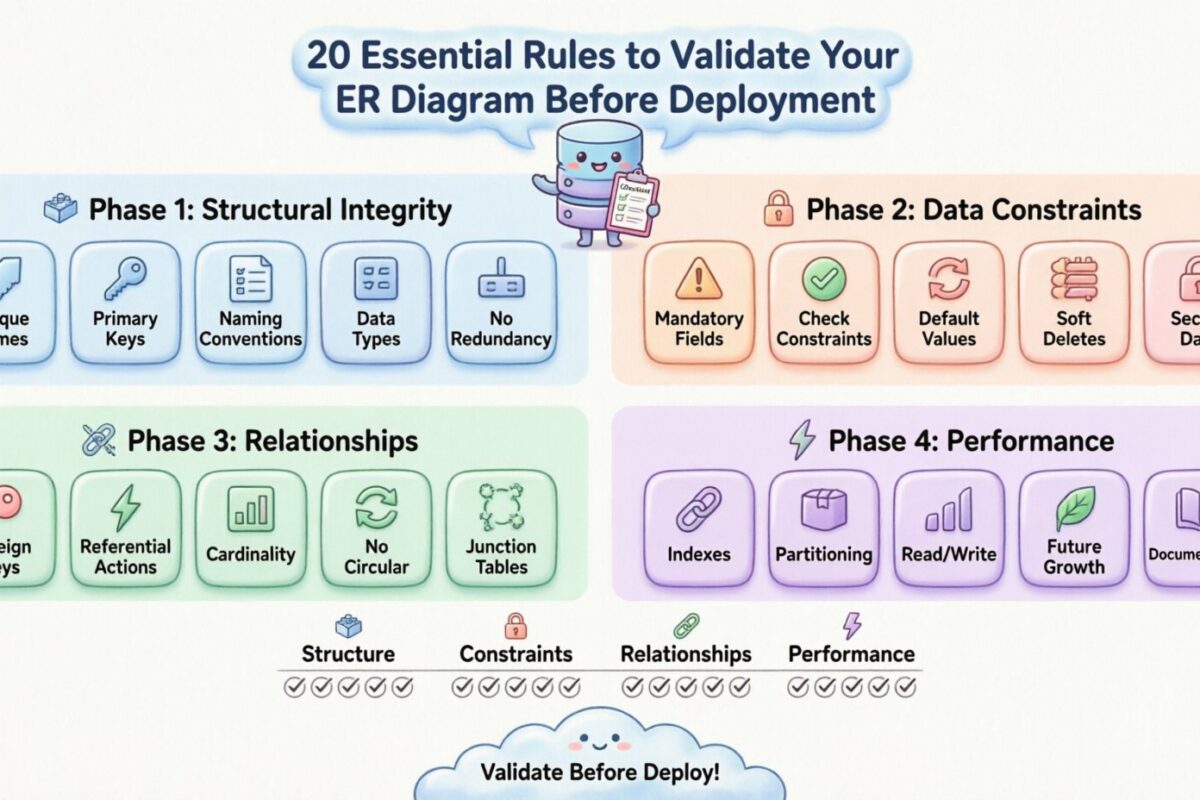
Designing a database schema is akin to laying the foundation for a skyscraper. If the structure is flawed, the entire system risks instability as data volume grows. An Entity-Relationship Diagram (ERD) serves as the blueprint for this foundation. It defines how data entities interact, store information, and maintain integrity. However, a diagram on paper does not guarantee a robust system. Many projects fail not because of bad code, but because of poor structural design.
Before committing your schema to a production environment, rigorous validation is non-negotiable. Rushing this phase often leads to costly refactoring, data loss, or performance bottlenecks down the road. This guide outlines 20 essential rules to validate your ER diagram. These rules cover structural integrity, data constraints, relationship logic, and long-term scalability. By adhering to these principles, you ensure your database remains reliable, efficient, and maintainable.
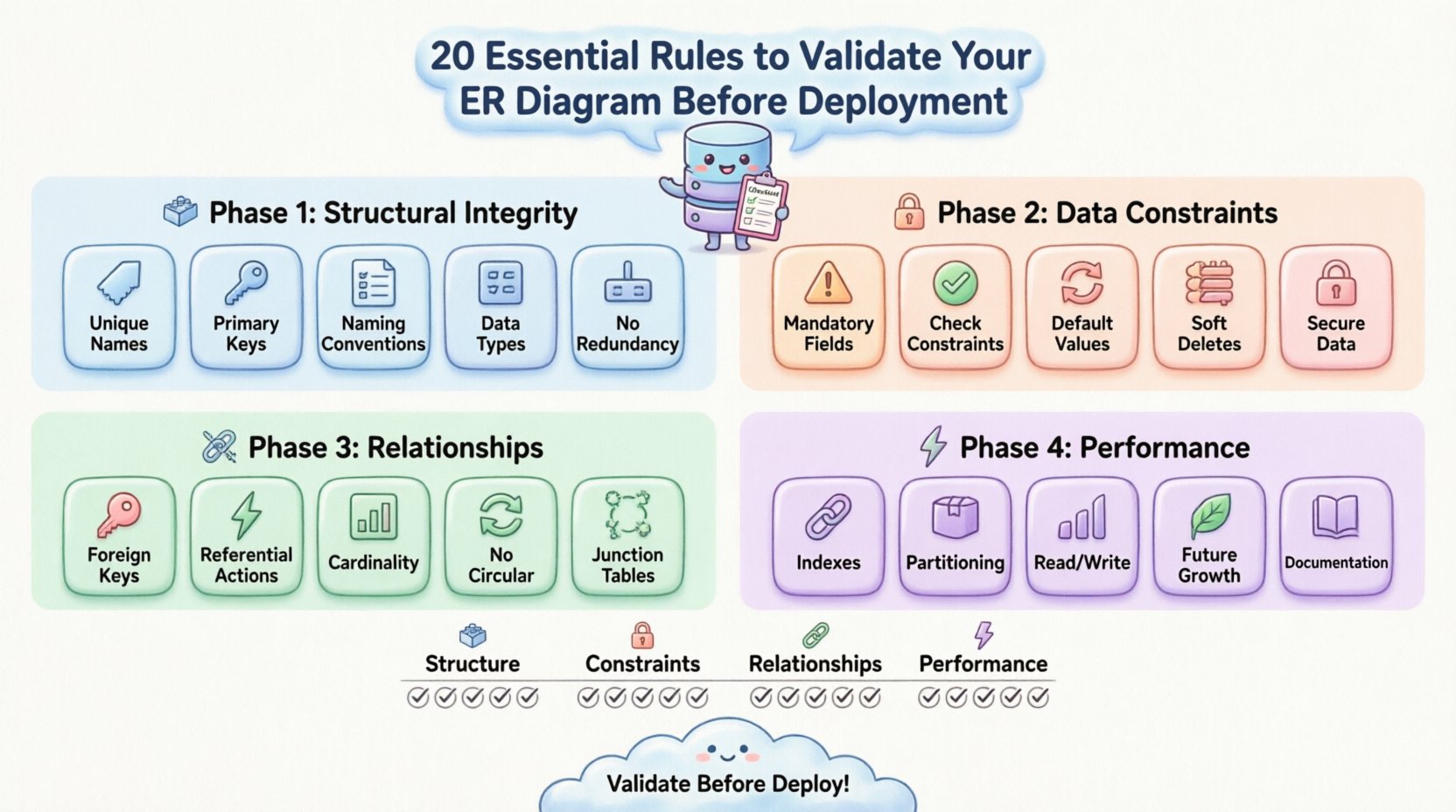
🏗️ Phase 1: Structural Integrity & Naming Conventions
The first layer of validation involves the basic building blocks of your schema. If the core structure is ambiguous, subsequent development becomes chaotic. Clear naming and consistent key usage are the bedrock of database management.
1. Ensure Unique Entity Names 🏷️
Every table must have a distinct name. Ambiguity creates confusion for developers and application logic. Avoid pluralization inconsistencies; if you use orders, do not mix it with order_item in the same schema without a clear pattern. Consistency aids in query readability.
- Use singular or plural consistently across all tables.
- Avoid reserved keywords that might conflict with database engines.
- Keep names descriptive but concise.
2. Enforce Standardized Primary Keys 🔑
Every table requires a primary key to uniquely identify rows. Without this, data integrity collapses. Natural keys (like email addresses) can change, leading to referential integrity issues. Surrogate keys (auto-incrementing integers or UUIDs) are often safer for internal system logic.
- Verify every table has a defined primary key.
- Ensure the key is non-nullable.
- Check if the key type matches the relationship requirements.
3. Validate Attribute Naming Conventions 📝
Column names should follow a strict casing convention, such as snake_case. This prevents case-sensitivity issues across different operating systems and database engines. Names should reflect the data stored within them accurately.
- Use
user_idinstead ofUserIDorUserId. - Avoid abbreviations unless they are universally understood.
- Do not use spaces or special characters in column names.
4. Confirm Data Type Accuracy 🧮
Choosing the wrong data type wastes storage and slows down queries. Storing dates as strings prevents date manipulation functions. Using integers for prices can lead to rounding errors. Precision matters here.
- Use
DECIMALfor currency, notFLOAT. - Use
TIMESTAMPorDATETIMEfor time-based data. - Validate length constraints on
VARCHARfields to prevent overflow.
5. Remove Redundant Columns 🗑️
Normalization aims to minimize redundancy. If a piece of data can be derived from another column or table, it should not be stored separately. Storing full_name and first_name + last_name simultaneously creates update anomalies.
- Check if columns violate First Normal Form (1NF).
- Ensure data is atomic in each cell.
- Identify fields that are merely copies of data from related tables.
🔒 Phase 2: Data Constraints & Nullability
Once the structure is sound, the next step is to enforce rules that protect the data itself. Constraints act as the gatekeepers, ensuring only valid information enters the system.
6. Define Mandatory Fields Explicitly ⚠️
Not all fields require data, but critical ones do. Marking required fields as NOT NULL prevents incomplete records. This is crucial for fields like email, password, or transaction_date.
- Review every column for potential null values.
- Ensure business logic accounts for mandatory data entry.
- Set default values where appropriate to avoid nulls.
7. Implement Check Constraints ✅
Basic types are not enough. You need logic to ensure values fall within specific ranges. For example, an age field should not be negative, and a discount percentage should not exceed 100.
- Use constraints to validate numeric ranges.
- Apply regex patterns for string formats like phone numbers.
- Define enum-like restrictions for status fields.
8. Validate Default Values 🔄
Defaults provide safety nets for new records. However, they must be logical. A default timestamp should be CURRENT_TIMESTAMP, not a hardcoded date. Defaults should not introduce bias into the data.
- Ensure defaults match the data type.
- Verify defaults do not conflict with
NOT NULLrequirements. - Document why specific defaults were chosen.
9. Plan for Soft Deletes 🗃️
Physical deletion is often irreversible and problematic for reporting. A common pattern is to add an is_deleted or deleted_at column. This allows data to be hidden from active views while preserving history.
- Add a boolean or timestamp column for deletion status.
- Ensure queries filter out soft-deleted records by default.
- Plan index strategies to support filtered deletion checks.
10. Secure Sensitive Data Fields 🔐
PII (Personally Identifiable Information) requires special attention. Encryption or hashing should be planned at the schema level. Passwords should never be stored in plain text.
- Identify columns containing sensitive information.
- Ensure application logic handles encryption before storage.
- Limit access permissions for tables holding sensitive data.
🔗 Phase 3: Relationships & Cardinality
Relationships define how data connects. Incorrect cardinality or missing foreign keys can lead to orphaned records and broken application logic.
11. Verify Foreign Key Existence 📌
Every relationship between tables should be enforced by a foreign key. Without this, the database allows invalid references. An order referencing a non-existent user is a data integrity failure.
- Check that every joinable table has a matching key.
- Ensure the data type of the foreign key matches the primary key.
- Validate that the relationship is explicitly defined in the diagram.
12. Define Referential Actions ⚡
What happens when a parent record is deleted? The child records must be handled. Options include CASCADE, SET NULL, or RESTRICT. Choosing the wrong action can lead to accidental data loss.
| Action | Behavior | Use Case |
|---|---|---|
| CASCADE | Deletes child records automatically | Temporary logs or nested comments |
| SET NULL | Removes the link, keeps child | Optional affiliations |
| RESTRICT | Prevents deletion of parent | Critical financial records |
13. Check Cardinality Accuracy (1:1, 1:N, M:N) 📊
Cardinality defines the relationship ratio. A 1:1 relationship between User and Profile should not be implemented as 1:N. Incorrect cardinality creates confusion in query planning and application logic.
- Confirm one-to-many relationships are marked correctly.
- Ensure many-to-many relationships are resolved via junction tables.
- Validate that the diagram reflects actual business rules.
14. Avoid Circular Dependencies 🔁
Circular references make querying difficult and can cause stack overflows in application logic. While sometimes necessary in specific graph structures, they should be rare in standard relational designs.
- Trace the path of relationships for loops.
- Break cycles using intermediate tables if possible.
- Document why circular dependencies exist if unavoidable.
15. Normalize Junction Tables 🧩
Many-to-many relationships require junction tables. These tables should only contain the foreign keys and necessary attributes. Do not add unrelated data to these tables.
- Ensure junction tables have unique constraints on key pairs.
- Add timestamps to junction tables for audit trails.
- Keep attributes specific to the relationship itself.
⚡ Phase 4: Performance & Scalability
A functional database is good; a performant one is better. As data grows, the schema must support efficient retrieval without degrading system speed.
16. Strategically Place Indexes 🚦
Indexes speed up reads but slow down writes. Identify columns frequently used in WHERE, JOIN, or ORDER BY clauses. Index them, but avoid over-indexing.
- Index primary and foreign keys automatically.
- Add indexes to high-frequency search columns.
- Review index usage plans to avoid redundancy.
17. Plan for Partitioning 📦
Large tables benefit from partitioning. This splits data into manageable chunks based on time or region. It improves query performance and maintenance tasks.
- Identify tables that will grow beyond millions of rows.
- Design partition keys based on query patterns.
- Ensure the schema supports partition management.
18. Optimize for Read vs. Write Patterns 📈
Some schemas are read-heavy, others write-heavy. Read-heavy systems need more indexes. Write-heavy systems need fewer constraints to reduce locking contention. The diagram should reflect the dominant operation.
- Analyze expected workload characteristics.
- Adjust constraint strictness based on write frequency.
- Consider denormalization for read-heavy critical paths.
19. Account for Future Growth 🌱
Schema changes are expensive. Design with the assumption that requirements will evolve. Avoid hardcoding limits that cannot be adjusted later.
- Use flexible data types like
TEXTorJSONwhere appropriate. - Leave room for new attributes without altering table structures.
- Plan for versioning strategies in your schema design.
20. Document Schema Dependencies 📚
Finally, ensure the diagram and documentation align. Developers need to understand the relationships and constraints without guessing. Comments in the diagram or separate documentation are vital.
- Include business logic notes for complex rules.
- Map data flow between application and database.
- Keep documentation synchronized with schema changes.
🔎 Validation Summary Table
To assist in your final review, use this checklist summary to track your progress before deployment.
| Category | Key Focus | Validation Question |
|---|---|---|
| Structure | Naming & Keys | Are all tables uniquely named with primary keys? |
| Constraints | Data Integrity | Are nulls handled and types accurate? |
| Relationships | Connections | Do foreign keys enforce referential integrity? |
| Performance | Speed & Scale | Are indexes planned for high-volume queries? |
🛠️ Finalizing the Deployment Plan
Validation is not a one-time event. It is a continuous process throughout the development lifecycle. Once these 20 rules are applied, review the diagram with your team. A fresh pair of eyes often catches edge cases that the primary designer misses. Ensure that the development team understands the constraints and dependencies defined in the schema.
Remember that database design is a balance between theoretical perfection and practical implementation. Sometimes, strict normalization must yield to performance requirements. However, these rules provide a strong baseline to prevent catastrophic failures. By following this checklist, you reduce technical debt and create a system that stands the test of time.
Take your time during this phase. The hours spent validating an ER diagram now will save weeks of debugging and data migration later. A solid schema is the silent hero of any successful software application.
Related posts:
 Case Study: How a Complex ER Diagram Solved Data Redundancy in a Legacy Migration
 Deep Dive into ER Diagrams: Advanced Strategies for Handling Many-to-Many Relationships
 The overlooked Power of Attributes in ER Diagrams: Why They Matter More Than You Think
 The Strategic Value of ER Diagrams in Large-Scale Backend Development Teams