Project management involves orchestrating complex sequences of tasks, resources, and timelines. While traditional methods focus heavily on schedules, the underlying workflows often remain opaque. Business Process Model and Notation (BPMN) offers a standardized visual language that bridges the gap between high-level strategy and execution details. For project managers, adopting BPMN is not about creating diagrams for the sake of it; it is about clarity, alignment, and risk reduction. This guide explores how to apply BPMN effectively within project environments without getting lost in technical jargon.
When teams struggle with scope creep or communication breakdowns, the issue often lies in how work is defined. Visualizing the flow of activities allows stakeholders to see dependencies and bottlenecks before they become critical issues. By integrating process modeling into your project lifecycle, you create a single source of truth that evolves alongside the project.
Understanding BPMN Beyond the Basics 🧩
Business Process Model and Notation serves as a universal standard for business process modeling. Unlike ad-hoc flowcharts, BPMN provides a specific set of symbols and rules that convey meaning consistently across different teams and industries. For a project manager, the value proposition is not in the notation itself, but in the discipline it imposes on planning.
- Standardization: Everyone reads the diagram the same way. There is no ambiguity about what a diamond shape represents compared to a circle.
- Granularity: You can model at a high level for stakeholders or drill down into specific task logic for the execution team.
- Documentation: The diagram serves as living documentation that can be updated as requirements change.
Many project managers avoid BPMN because they assume it requires technical expertise in software engineering. This is a misconception. The core concepts apply to any workflow involving sequential steps, decisions, and outcomes. Whether you are managing software development, construction, or marketing campaigns, the logic of process flow remains consistent.
Why Project Managers Need BPMN 🚀
The transition from a linear task list to a process map changes how you manage risk and resources. Here are the specific advantages of incorporating BPMN into your project management toolkit.
1. Improved Scope Definition
Scope creep often happens because the boundaries of the work are not clearly defined. A BPMN diagram explicitly shows where a process starts and where it ends. This visual boundary helps prevent stakeholders from assuming extra activities are included in the baseline plan.
- Define the Start Event clearly to mark project initiation.
- Define the End Event to mark project completion criteria.
- Identify Gateways where decisions must be made to stay within scope.
2. Enhanced Communication
Text-heavy project charters are often skipped by team members. Visual diagrams are processed faster by the human brain. When you present a process map, you reduce the cognitive load required to understand the workflow.
- Use swimlanes to assign responsibilities to specific roles.
- Highlight handoff points where information passes between teams.
- Use color coding to indicate priority levels without adding clutter.
3. Risk Identification
Traditional Gantt charts show time but rarely show logic failure points. BPMN allows you to model alternative paths. You can see what happens if a task fails, if a decision goes a certain way, or if an external dependency is delayed.
- Model exception paths for error handling.
- Visualize parallel processes that might compete for resources.
- Identify single points of failure in the workflow.
Core BPMN Symbols Every PM Should Know 🛠️
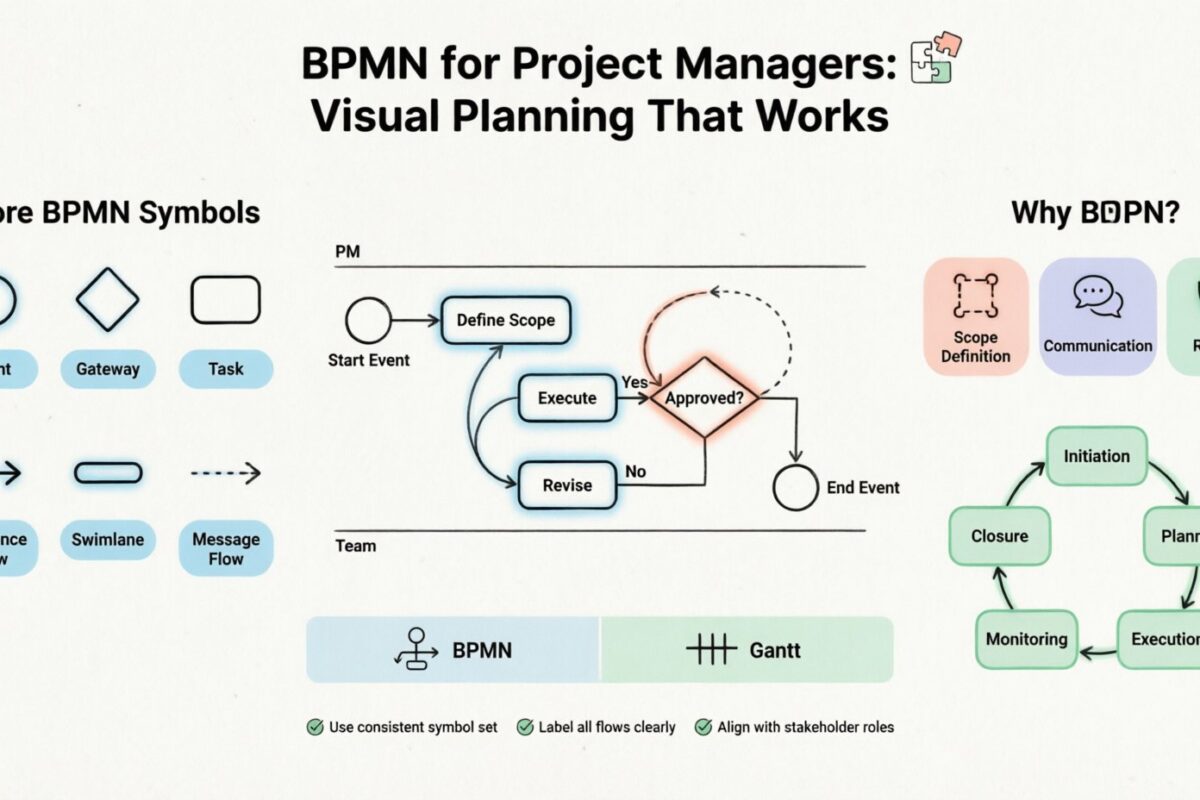
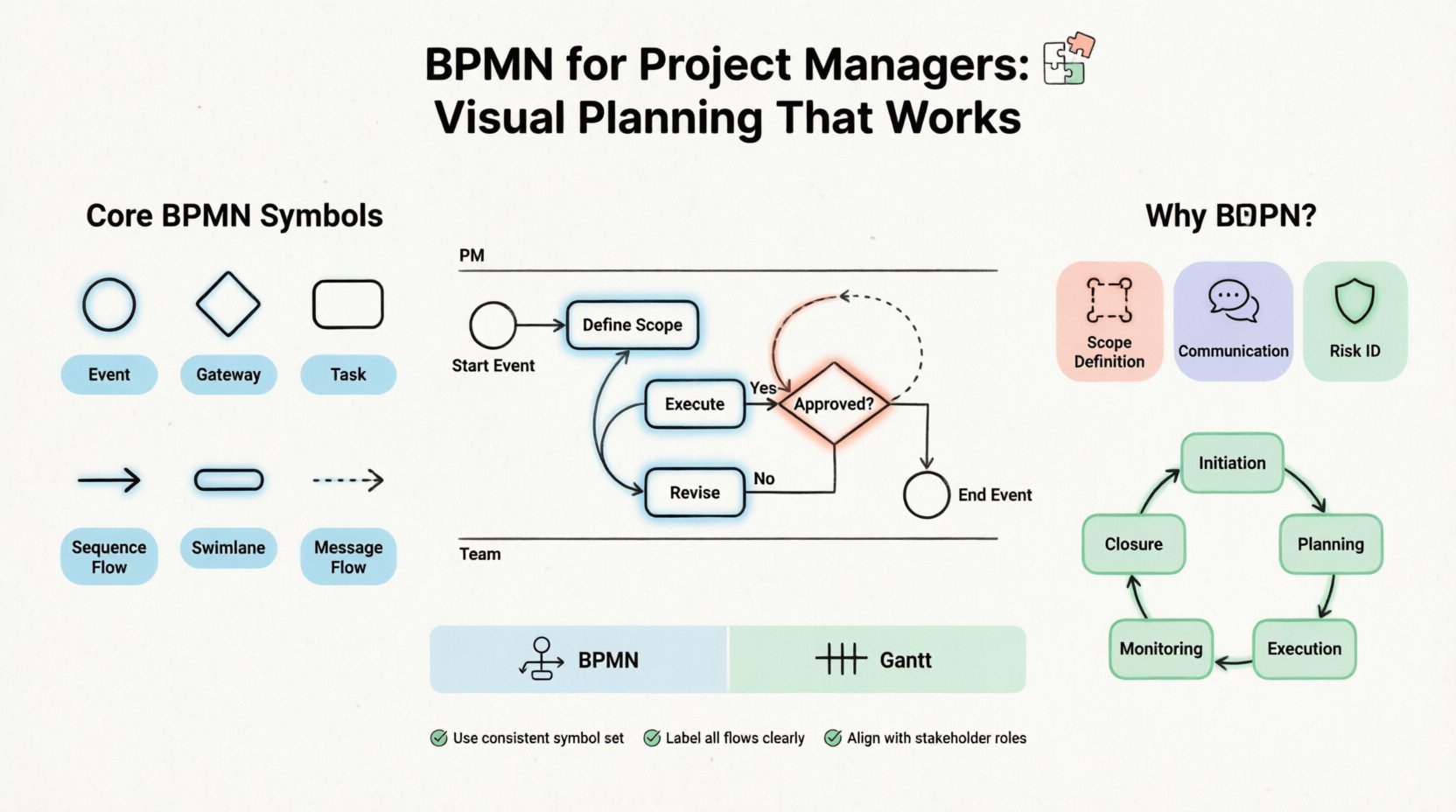
You do not need to memorize every symbol in the BPMN specification. For project management, a subset of elements covers 90% of use cases. Understanding these core building blocks is sufficient to create effective models.
Below is a structured reference for the most critical elements used in project workflows.
| Symbol Name | Shape | Function | Project Manager Application |
|---|---|---|---|
| Event | Circle | Triggers or results of a process | Start a milestone, complete a phase, or handle a risk event. |
| Gateway | Diamond | Decision point or branching logic | Approve a change request, pass a quality check, or select a vendor. |
| Task | Rectangle with rounded corners | Atomic unit of work | A specific deliverable or activity assigned to a team member. |
| Sequence Flow | Arrow | Order of execution | Indicates which task happens next. |
| Swimlane | Horizontal or Vertical Strip | Organizes activities by role | Separates work done by the client, the team, and external vendors. |
| Message Flow | Dashed Arrow | Communication between participants | Shows emails, notifications, or formal approvals between parties. |
Deep Dive: Gateways and Decision Logic
Gateways are perhaps the most powerful tool for project managers modeling complex scenarios. They represent points where the path splits based on conditions. Understanding the different types helps in planning contingency measures.
- Exclusive Gateway (XOR): Only one path is taken. Example: If the budget is approved, proceed to procurement. If not, go to revision.
- Inclusive Gateway (OR): One or more paths can be taken. Example: Approve Phase A, and if Phase B is also ready, proceed to launch.
- Parallel Gateway (AND): All paths are taken simultaneously. Example: Start design and start coding at the same time.
Integrating BPMN into the Project Lifecycle 🔄
Incorporating process modeling into your project lifecycle requires timing. You do not model everything at the start, nor do you model everything at the end. The goal is to add value at each phase.
1. Initiation Phase
During initiation, create a high-level map. This is often called a Level 0 or Level 1 process. It focuses on the major phases rather than individual tasks. This helps secure stakeholder buy-in by showing the big picture.
- Map the major phases: Initiation, Planning, Execution, Monitoring, Closure.
- Identify key stakeholders for each phase.
- Define the start trigger (e.g., signed contract) and the end result (e.g., delivered product).
2. Planning Phase
As you break down the work, use BPMN to define the logic between tasks. This is where you move to Level 2 modeling. You connect specific tasks to the high-level phases.
- Detail the decision gates between planning and execution.
- Map out resource allocation using swimlanes.
- Define the handoffs between different departments.
3. Execution Phase
During execution, the model becomes a reference for tracking progress. If a task falls behind, you can see which subsequent tasks are impacted by the sequence flow.
- Use the diagram to identify bottlenecks in real-time.
- Update the model if the scope changes significantly.
- Communicate deviations to the team using the visual path.
4. Monitoring and Controlling
Monitoring is not just about dates; it is about process adherence. BPMN helps you verify if the team is following the agreed-upon workflow.
- Check if decision points are being hit correctly.
- Verify that all required inputs are present before a task starts.
- Track cycle times for specific tasks.
5. Closure Phase
At the end, the final version of the BPMN diagram serves as a record of how the work was actually done. This is invaluable for future projects.
- Archive the diagram as part of the project lessons learned.
- Identify steps that were skipped or added during the project.
- Update the standard process library for future use.
BPMN vs. Traditional Gantt Charts 📉
Project managers often ask if they should replace their Gantt charts with BPMN. The answer is not either/or, but rather both/and. They serve different purposes.
| Feature | BPMN | Gantt Chart |
|---|---|---|
| Focus | Logic and Flow | Time and Schedule |
| Strength | Complex decision paths and dependencies | Duration tracking and critical path |
| Best Used For | Defining how work is done | Defining when work is done |
| Change Management | Easy to see impact of logic changes | Easy to see impact of date changes |
Using both tools together provides a complete view. Use BPMN to define the logic of the workflow and Gantt charts to assign dates to the tasks within that logic. When a task is delayed, the Gantt chart shows the new finish date, while the BPMN diagram shows how that delay affects downstream decisions.
Common Pitfalls and How to Avoid Them ⚠️
Even with the best intentions, teams can misapply BPMN. These mistakes can lead to diagrams that are too complex or fail to provide value. Awareness of these common issues will help you maintain clarity.
1. Over-Modeling
Trying to model every single detail in the first pass is a recipe for failure. A diagram that covers every micro-task becomes unreadable. Start with the high-level flow and refine only where necessary.
- Avoid modeling administrative overhead unless it impacts the project.
- Use sub-processes to group complex logic into a single box.
- Focus on the critical path of the project.
2. Ignoring the Swimlanes
If you do not use swimlanes, the diagram loses its ability to show accountability. It becomes just a flowchart. Swimlanes ensure that every task has an owner.
- Assign every task to a specific role or department.
- Keep the number of swimlanes manageable (ideally under 10).
- Ensure handoffs between lanes are clear.
3. Static Diagrams
A diagram that is created once and never updated is worse than no diagram. Projects change. Requirements shift. The process map must reflect the current reality.
- Review the diagram during status meetings.
- Update the model after major phase changes.
- Version control the diagrams just like project documentation.
4. Confusing Events with Tasks
It is common to mistake a task for an event. Events happen; tasks are done. Confusing them leads to incorrect logic.
- Events are triggers (e.g., “Email Received”).
- Tasks are actions (e.g., “Review Email”).
- Use events to mark the start and end of the process.
Best Practices for Process Modeling ✅
To ensure your BPMN diagrams are effective, follow these established practices. These guidelines help maintain consistency and readability across your projects.
- Keep it Simple: If a diagram cannot be understood in five minutes, simplify it. Use sub-processes to hide complexity.
- Consistent Naming: Use clear, action-oriented labels for tasks. Avoid vague terms like “Process” or “Work”.
- Logical Flow: Ensure arrows generally flow from top to bottom or left to right. Avoid crossing lines where possible.
- Stakeholder Review: Validate the diagram with the people who actually do the work. They will spot logic errors you miss.
- Link to Tasks: If using project management software, link the BPMN tasks to the actual work items for traceability.
Ensuring Stakeholder Alignment 🤝
The ultimate goal of BPMN in project management is alignment. When stakeholders, team members, and leadership all see the same visual representation, misunderstandings decrease. This is particularly important when managing external vendors or cross-functional teams.
When presenting a BPMN diagram to stakeholders, focus on the outcomes. Explain how the process ensures quality and delivery. Use the swimlanes to clarify who is responsible for what. This transparency builds trust and reduces friction during the project.
For example, if a delay occurs, you can point to the specific decision gateway where the choice was made. This moves the conversation from blame to process improvement. It allows the team to analyze the workflow rather than the individuals.
Scalability and Complexity Management 📈
As projects grow, the complexity of the process increases. BPMN handles this through a technique called hierarchical modeling. You can create a master diagram that links to detailed sub-processes.
- Master Diagram: Shows the high-level phases and major handoffs.
- Sub-Process Diagram: Details the logic within a specific phase.
- Task Diagram: Provides step-by-step instructions for complex tasks.
This structure allows you to manage complexity without overwhelming the viewer. Stakeholders can zoom in on the details only when necessary. This keeps the communication clean and focused.
Final Thoughts on Visual Planning 💡
Adopting BPMN for project management is a shift in how you approach planning. It moves the focus from simply tracking time to understanding the flow of work. By visualizing the logic, dependencies, and decisions, you create a robust framework for delivery.
The key to success lies in consistency and simplicity. Do not let the notation become an obstacle. Use it as a tool to clarify, communicate, and control. When your team understands the process map, they can execute with confidence. This leads to fewer surprises, better resource allocation, and a smoother path to project completion.
Start small. Pick one recurring process in your current project and map it out. Share it with the team. Gather feedback. Iterate. Over time, this visual discipline will become a natural part of your project management routine, adding value to every initiative you lead.