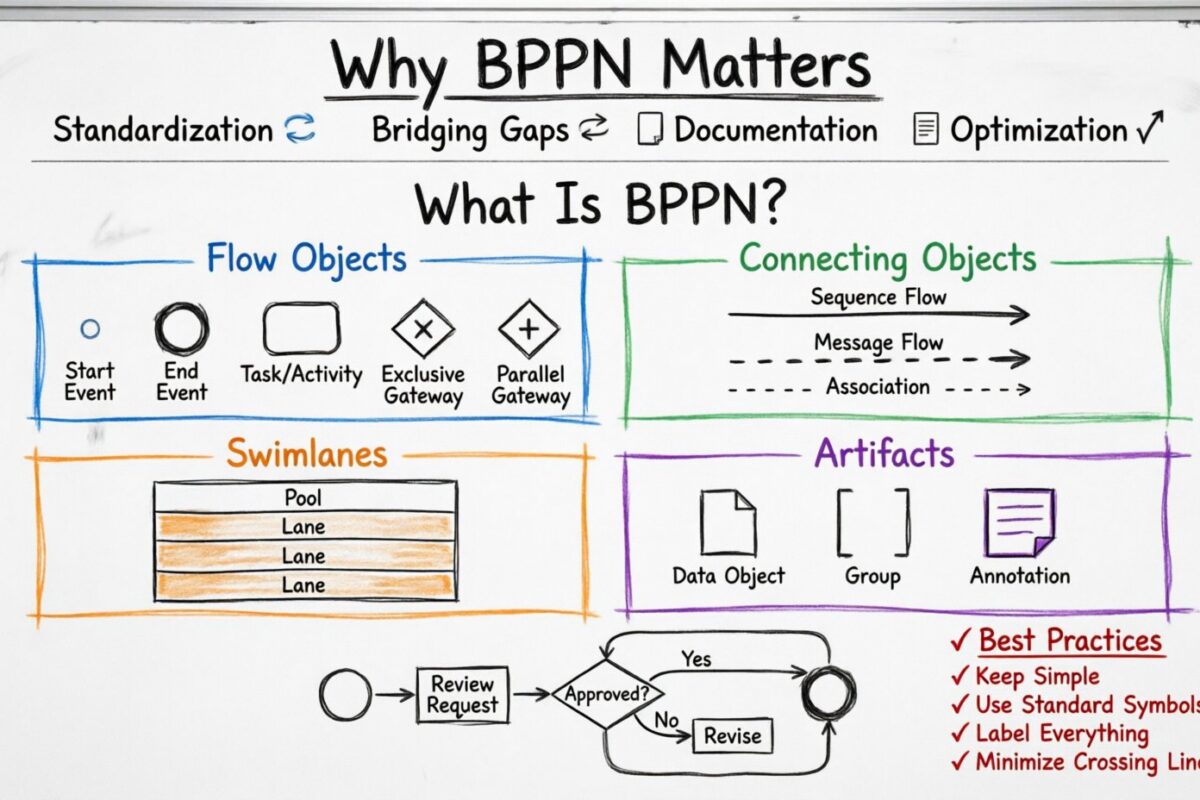
In the world of business operations, clarity is currency. When teams work across different departments, technical skills, and management levels, communication often breaks down. This is where a standardized language becomes essential. Business Process Model and Notation, widely known as BPMN, serves as this universal language. It provides a graphical notation for specifying business processes in a business process model.
Whether you are a business analyst, a process owner, or a developer, understanding this notation allows you to document, analyze, and improve workflows effectively. This guide provides a comprehensive look at what BPMN is, its core components, and how to apply it without getting lost in technical jargon. 🚀
Why BPMN Matters for Organizations 🏢
Business processes are the backbone of any organization. They describe how work gets done, who does it, and what systems are involved. However, describing a process in text alone can lead to ambiguity. One person might read “approve the request” differently than another. BPMN solves this by using visual symbols that have strict definitions.
Here are the primary reasons why organizations adopt this standard:
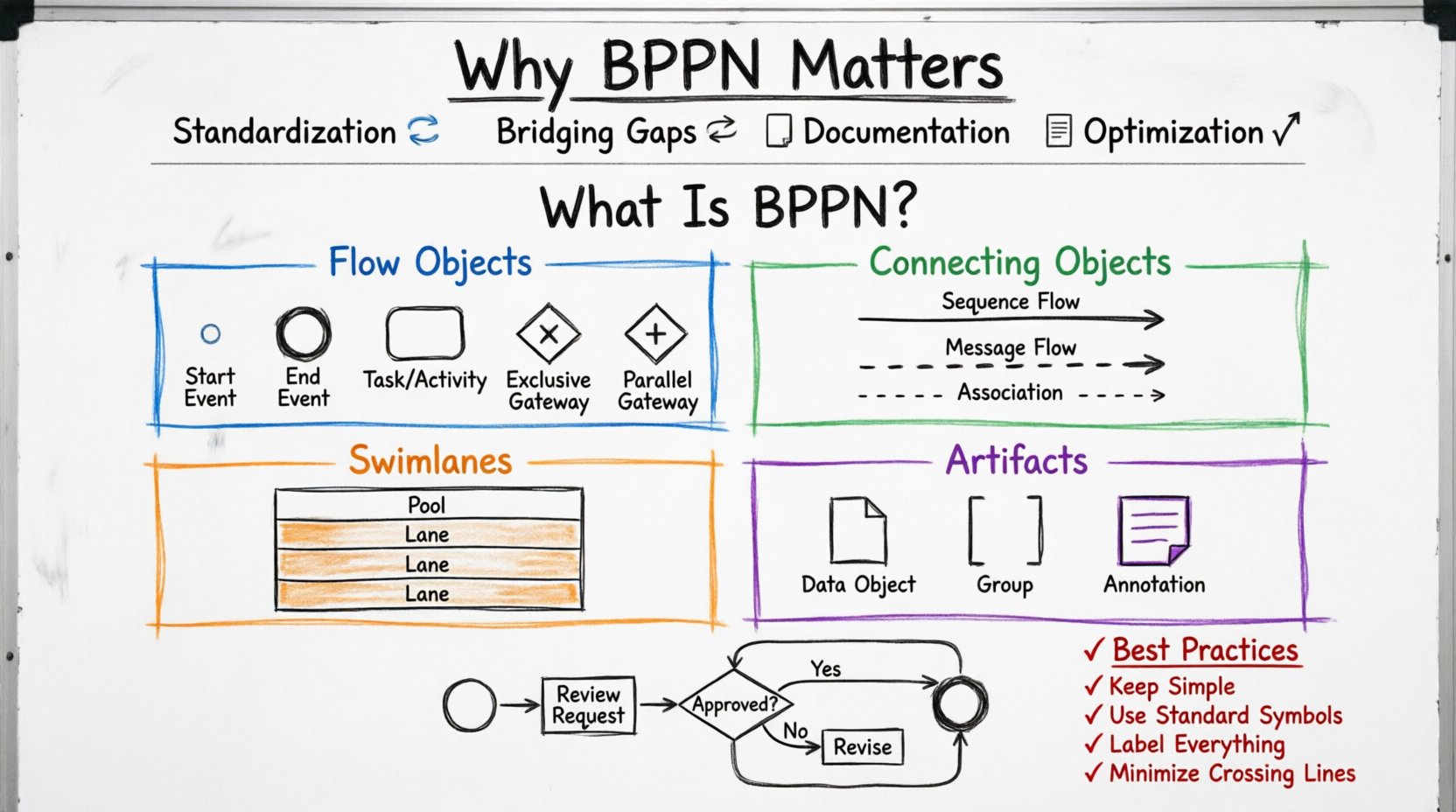
- Standardization: It ensures that a circle means a start event everywhere, regardless of the organization.
- Bridging Gaps: It connects the business side (what needs to happen) with the technical side (how to build it).
- Documentation: It creates a clear record of how a process currently works and how it should work in the future.
- Optimization: Visualizing a process makes bottlenecks and inefficiencies easier to spot.
By using a shared visual language, teams can discuss workflows without confusion. This reduces errors and ensures that everyone is aligned on the operational reality.
Core Elements of BPMN 🧩
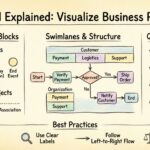
The notation is built on a set of graphical elements. These elements are categorized into four main groups: Flow Objects, Connecting Objects, Swimlanes, and Artifacts. Understanding these groups is the first step to drawing a valid model.
1. Flow Objects
Flow Objects are the things that are directly modeled. They are the core of the process definition. There are three types of flow objects:
- Events: Something that happens during a process. These are represented by circles.
- Activities: Work that is performed within the process. These are represented by rounded rectangles.
- Gateways: Decisions that determine the flow of the process. These are represented by diamonds.
2. Connecting Objects
Flow objects need to be linked together to show the sequence. Connecting objects define the path the process takes.
- Sequence Flow: Shows the order of activities. It is a solid line with an arrow.
- Message Flow: Shows information being passed between participants. It is a dashed line with an arrow.
- Association: Links an artifact to a flow object. It is a dotted line without an arrow.
3. Swimlanes
Swimlanes categorize activities by who or what is responsible for them. This adds context to the flow.
- Pools: Represent a major participant in the process. A process usually has one pool.
- Lanes: Sub-divisions within a pool. They show which department or role performs an activity.
4. Artifacts
Artifacts provide additional information about the process without affecting the flow logic. They include data objects, groups, and annotations.
Understanding the Symbols: A Detailed Dictionary 📖
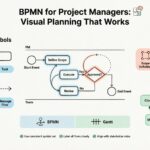
To use BPMN effectively, you must recognize the shapes. Below is a structured breakdown of the most common symbols you will encounter.
| Symbol Name | Shape | Meaning |
|---|---|---|
| Start Event | Thin Circle | The trigger that begins the process. |
| End Event | Thick Circle | The point where the process finishes. |
| Intermediate Event | Medium Circle | Something that happens in the middle of a process. |
| Task | Rounded Rectangle | A single unit of work performed by a participant. |
| Sub-Process | Rounded Rectangle with + | A complex task that contains its own internal flow. |
| Exclusive Gateway | Diamond with X | Only one path is chosen based on a condition. |
| Parallel Gateway | Diamond with + | Multiple paths are executed at the same time. |
| Pool | Large Rectangle | Represents a major participant in the process. |
| Lane | Horizontal/Vertical Strip | Divides the pool to show specific responsibilities. |
| Data Object | Paper Icon | Information created or used during the process. |
Let us break down the most critical symbols further.
Events: The Triggers and Outcomes
Events are the things that happen. They are always represented by circles. The thickness of the border indicates the type of event.
- Start Event: The process cannot begin without this. It might be triggered by a message arriving, a timer expiring, or a manual initiation. It has no incoming sequence flow.
- Intermediate Event: These occur during the process. For example, waiting for a payment or receiving a document. They can have incoming and outgoing flows.
- End Event: The process stops here. It might indicate success, failure, or an exception. It has no outgoing sequence flow.
Gateways: The Decision Points
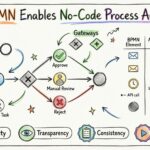
Gateways control the flow of the process. They do not represent work; they represent logic. The most common gateway is the Exclusive Gateway (XOR).
- Exclusive Gateway: Think of a traffic light that only allows one path. If a condition is true, the flow goes one way. If false, it goes another. Only one outgoing path is taken.
- Parallel Gateway: This splits the flow into multiple paths that happen simultaneously. All outgoing paths must be followed before the flow can continue past the next join point.
- Inclusive Gateway: This allows for multiple paths to be taken, depending on which conditions are met. Unlike the exclusive gateway, more than one path can be active at the same time.
Activities: The Work
Activities represent the actual work being done. They are rounded rectangles.
- Task: The most basic unit of work. It is atomic, meaning it is not broken down further in this model.
- Sub-Process: When a task is too complex, it can be broken down into a sub-process. This allows for a high-level view while keeping details available for deeper inspection. It is marked with a plus sign.
- Call Activity: This references a process defined elsewhere. It is used when the same process is used in multiple places.
Connecting Objects and Flow Control 🔄
Once you have placed your events and activities, you must connect them. The lines define the order of execution.
Sequence Flow
Sequence flow is the solid arrow line. It shows the order in which activities are performed. It connects elements within the same pool. If you see a sequence flow crossing a pool boundary, that is an error in the model.
Message Flow
Message flow is the dashed arrow line. It shows the communication between different participants. For example, if one pool is “Customer” and another is “Vendor”, a message flow shows the order being sent from the Customer to the Vendor. You cannot have a sequence flow crossing pool boundaries; you must use message flow.
Swimlanes and Participants 🏊
Complex processes involve multiple people or systems. Swimlanes help organize this complexity.
- Pools: A pool is a container. It represents a distinct entity. In a simple process, you might have one pool. In a collaboration, you might have two or more pools to show interactions between different organizations.
- Lanes: Lanes divide the pool. They represent specific roles, departments, or systems. For example, a “Sales” lane might handle the quote, while a “Finance” lane handles the invoice. Activities should be placed in the lane of the actor responsible for them.
Keeping lanes consistent is vital. If a task moves from the “Sales” lane to the “Finance” lane, it indicates a handover of responsibility.
BPMN 2.0: The Modern Standard 🆕
While early versions existed, BPMN 2.0 is the current standard. It introduced a significant improvement: the ability to map the visual model directly to code.
Before BPMN 2.0, diagrams were often just documentation. You could not run them. BPMN 2.0 allows for the execution of processes. This means the model can be interpreted by software to automate the workflow. It defines a common XML format for the models. This ensures interoperability between different tools.
Key features of BPMN 2.0 include:
- XML Integration: Models can be saved and exchanged using standard XML files.
- Execution Semantics: The notation includes specific rules on how the process behaves when executed.
- Global Elements: You can define reusable elements like global tasks or pools that can be referenced across different diagrams.
Best Practices for Modeling Processes ✅
Creating a model is not just about drawing shapes. It is about communicating intent. Follow these guidelines to ensure your diagrams are effective.
1. Keep it Simple
Do not include every detail in the high-level model. Focus on the major steps. If a step is too complex, use a sub-process. This keeps the diagram readable. A diagram that is too crowded defeats the purpose of visualization.
2. Use Standard Symbols
Do not invent your own shapes. If you use a custom shape, it will confuse anyone reading the model. Stick to the official BPMN shapes. This ensures that anyone trained in the standard can read your work.
3. Define Clear Entry and Exit Points
Every activity should have a clear start and end. Avoid dangling lines. Every path should eventually lead to an End Event or loop back logically. Dead ends can indicate missing logic.
4. Label Everything
Labels are not optional. Every flow should have a label describing the condition (e.g., “Approved”, “Rejected”). Every task should have a name describing the action (e.g., “Review Document”). Without labels, the diagram is a picture, not a process definition.
5. Minimize Crossing Lines
Crossing lines make diagrams hard to follow. Arrange your lanes and activities to reduce intersections. If lines must cross, use bends or breaks to make the path clear.
Common Mistakes to Avoid ❌
Even experienced modelers make mistakes. Being aware of common pitfalls can save you time and confusion.
- Mixing Sequence and Message Flows: Do not use a solid line to cross between pools. Always use a dashed line for communication between pools.
- Overusing Gateways: If you have a gateway that always goes one way, remove it. Gateways are for logic, not decoration.
- Ignoring Exceptions: A process should account for failure. Use intermediate events to catch errors or exceptions. Do not assume everything always goes smoothly.
- Using Text for Logic: Do not write complex conditions in text boxes. Use the labels on the sequence flows to indicate the logic.
- Creating Too Many Pools: If you have too many pools, the collaboration becomes hard to understand. Consider if a single pool with more lanes is sufficient.
Real-World Application Scenarios 🌍
Where is this notation actually used? It spans many industries and functions.
- Software Development: Developers use process models to understand requirements before writing code. It helps in defining user stories and acceptance criteria.
- Healthcare: Hospitals use it to map patient journeys. This helps in reducing wait times and ensuring patient safety protocols are followed.
- Finance: Banks use it to model loan approval processes. This ensures compliance with regulations and reduces risk.
- Manufacturing: Factories use it to map production lines. This helps in identifying bottlenecks in the assembly process.
Learning the Notation 📚
Becoming proficient takes practice. Start by drawing simple processes. Use the standard symbols. Check your work against the rules.
- Start Small: Draw a process for your morning routine. Identify the events, tasks, and gateways.
- Study Examples: Look at existing models to see how others structure their information.
- Review Standards: Keep the BPMN specification handy. It is the reference for what is allowed.
- Get Feedback: Have someone else read your diagram. If they understand it, you have succeeded.
Final Thoughts on Process Modeling 🎯
BPMN is more than just drawing shapes. It is a method of thinking about work. It forces you to define the inputs, outputs, and logic of a process clearly. When done correctly, it serves as a blueprint for improvement.
By mastering the symbols and adhering to the best practices, you can create diagrams that are both accurate and useful. This leads to better communication, fewer errors, and more efficient operations. The goal is not perfection in the drawing, but clarity in the understanding.
Remember, a process model is a living document. As the business changes, the model should change with it. Regular reviews ensure that the documentation remains relevant. This keeps the organization agile and responsive to market needs.
Whether you are documenting a simple approval flow or a complex multi-party transaction, the principles remain the same. Use the standard, keep it clear, and focus on the value it brings to the organization.
Key Takeaways
- BPMN is a standard: It ensures everyone speaks the same language.
- Flow Objects are key: Events, Activities, and Gateways drive the model.
- Swimlanes add context: They show who does what.
- Clarity over complexity: Keep diagrams simple and readable.
- Documentation is vital: A model is only good if it is understood.
With these foundations, you are ready to begin modeling your own processes. The path to efficiency starts with a clear view of how work flows. Use BPMN to gain that view. 📈